Choosing the best avalanche beacon (also called a transceiver) is one of the most important decisions any winter backcountry traveler can make. Skis, boots, and bindings get a lot of attention, but your rescue equipment—including a reliable beacon—can make the ultimate difference in an emergency. If you’re heading into avalanche terrain, make sure you’re carrying a beacon you know and trust.
We tested the top models head-to-head in a variety of scenarios, from straightforward single burials to complex multiple-victim searches. Lead tester Spencer Herford, an AIARE Course Leader with over 20 years of beacon experience, ran each model through rigorous drills and real-world simulations in the central Rockies of Colorado.
To mimic realistic conditions, Spencer brought in professional colleagues, former students, and longtime ski partners to assist with testing. We evaluated each beacon on ergonomics, ease of use, range, update capability, and standout features.
This guide outlines the best choices for your needs, whether you’re looking for a budget-friendly unit like the Mammut Barryvox or a feature-rich option like the Arva EVO BT.
Editor’s Note: On August 18, 2025, we updated this guide with the Mammut S2 Barryvox, our newly awarded top pick for professionals. We also added overall ratings to provide insight into our rankings.
The Best Avalanche Beacons of 2026
Top Picks


Arva EVO BT
-

-
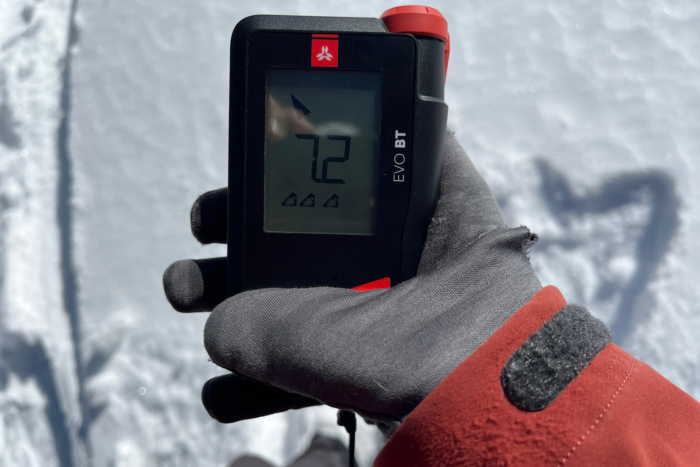
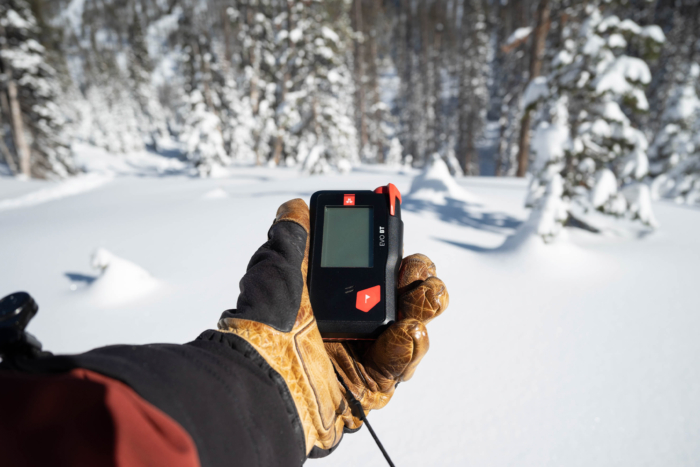
The Arva EVO BT beacon impressed us with its reliable long-range signal acquisition; (photo/Spencer Herford)
-
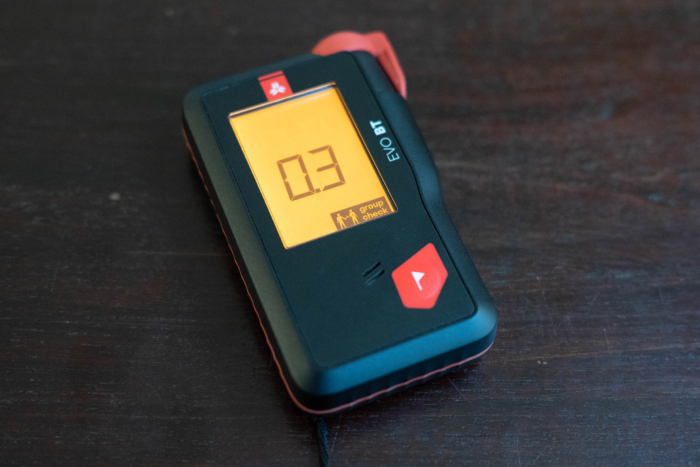
The group check mode is precise, verifying both signal and frequency; (photo/Spencer Herford)
-
The Arva EVO BT performed exceptionally well in single and multiple burial scenarios; (photo/Spencer Herford)
-
(Photo/Spencer Herford)
-
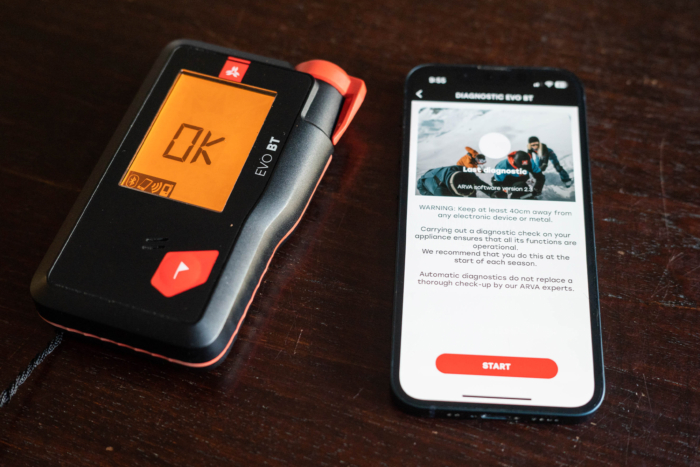
The companion app offers diagnostics, updates, and customizable settings; (photo/Spencer Herford)
-
The Arva EVO BT is a high-performing, user-friendly beacon at an excellent price; (photo/Spencer Herford)

Specifications
Pros & Cons
Pros
- Good ergonomics
- Long distance signal acquisition
- Clear backlit screen
- Group check mode tests transmit frequency and power
- Excellent performance in single and multiple burial scenarios
Cons
- Arva beacons tend to be harder to find in the U.S.
- Beacon may feel small in hand if you have large hands
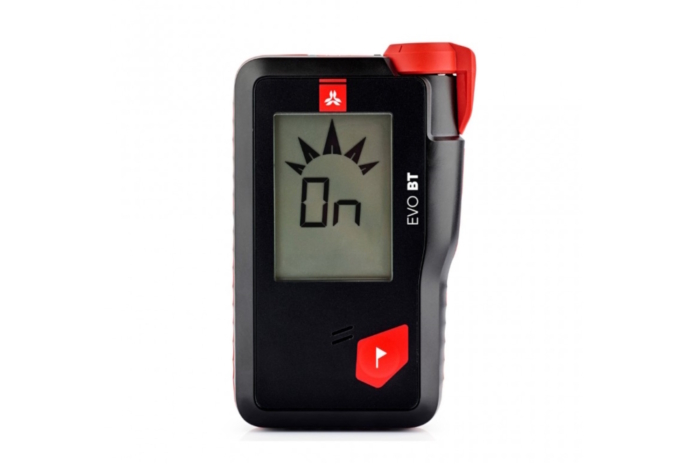
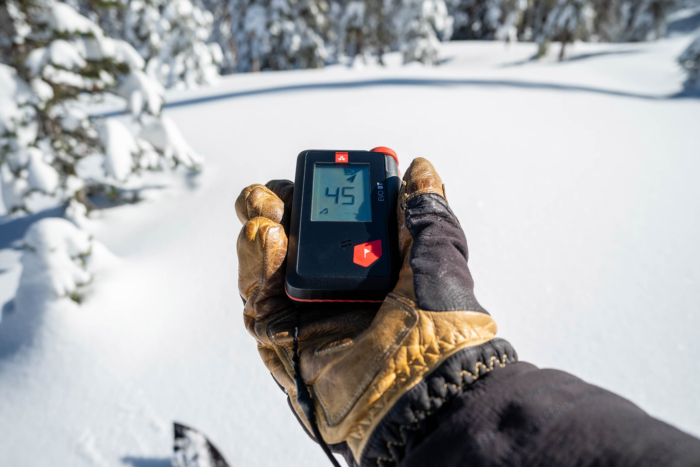
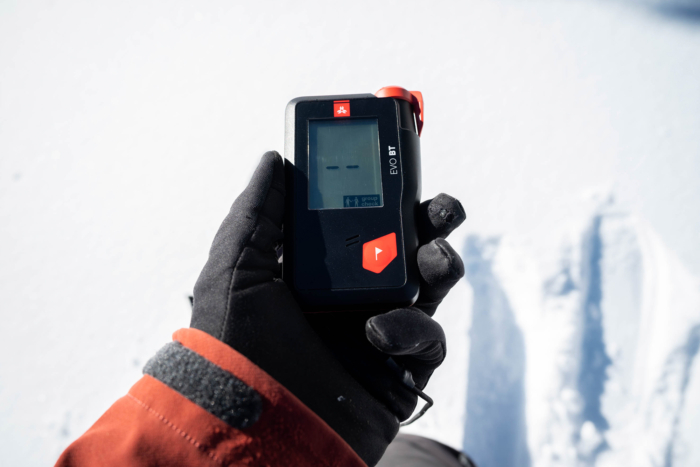
The Arva EVaO BT ($389) stood out immediately in testing for its ability to acquire a signal reliably from very far away. It also rose above the rest due to the following features: its superb performance when looking for a single beacon or multiple, its clear, backlit screen with easy-to-see directions during a rescue, and a very useful group check mode that checks for transmitting beacon signal frequency and power.
We will mention group check mode throughout our reviews. Group check mode is a valuable tool found on modern transceivers that allows you to easily make sure that all members of your group have their transceivers turned on and are in search mode.
During testing, the Arva stood out with its very long receiving range, which we found to be longer than advertised. Being able to cover ground quickly is helpful in an avalanche rescue, and with recommended search strips of 60 m, you can move fast. Some beacons have long ranges at the expense of picking up ambient electromagnetic interference (EMI), which confuses them. Still, the Arva does a great job managing that with its interference management software.
When used in scenarios, the Arva was always straightforward and intuitive in single and multiple burials. We could cover ground quickly to get closer, and the display arrows and distance were clear and easy to read. We found it worked well when guiding us through different phases of rescue. When multiple beacons are at play, the Arva can display up to four icons for four victims, and a plus sign for more than that.
A flagging option (flagging allows you to silence the signal from one device after you have located it to make it easier to locate the next closest signal) allows advanced users to ignore signals they have verified. Advanced techniques like the three-circle method or micro search strips (proven multiple burial techniques when the rescue situation is complex) worked wonderfully.
There is not too much to dislike about this beacon. Arva is a brand we don’t find as commonly in the United States as others in the test, so you might have a more challenging time finding it. But we think the Arva EVO BT beacon is great for any user. Whether you’re new to the backcountry scene or a professional, this is a solid all-around beacon. And, with the price of $389, you can’t go wrong here.
Mammut Barryvox
Specifications
Pros & Cons
Pros
- Tenacious signal lock, no matter how sloppy the user is
- Long range
- Great ergonomics
- Easy to read screen with best-of-the-best intuitive user interface
Cons
- Multiple burial techniques like micro search strips are much harder to do with this beacon due to the tendency to lock onto signals and not let go
- Long range comes at a cost of potential interference issues
- Slower processing speed in the fine search
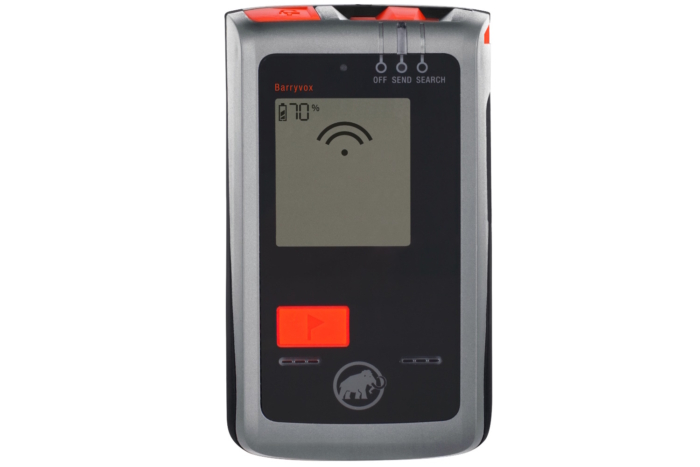
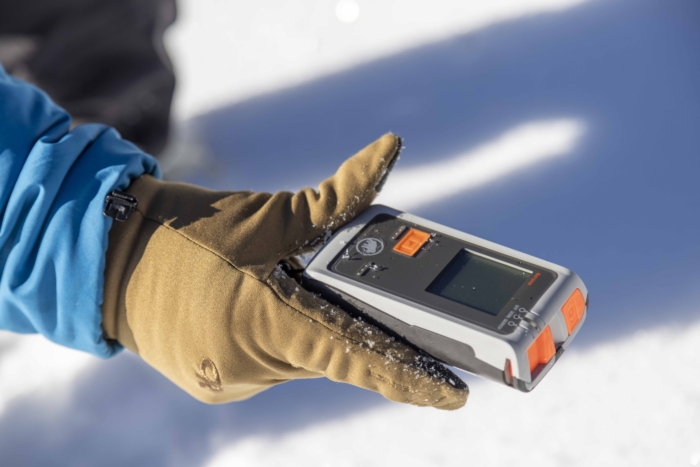
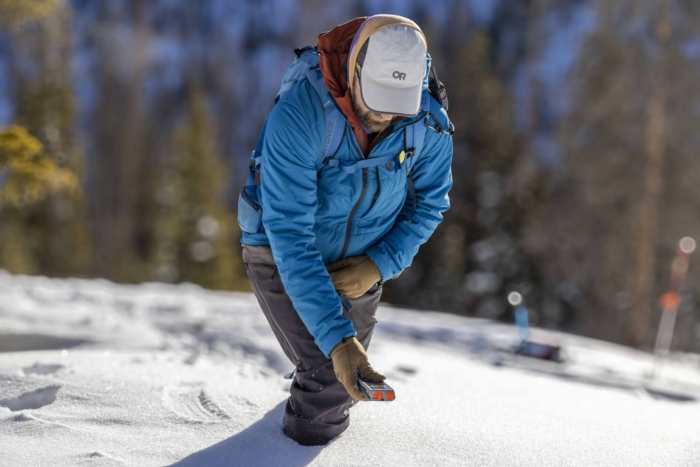
The Mammut Barryvox ($299) is a fully fledged avalanche beacon at a great price. For your money, nothing else on the market beats it.
The Mammut Barryvox has an advertised search range of 70 m. In our testing, this was accurate. However, the sensitivity of this and every beacon in our test when used a proper distance from sources of EMI (such as a phone, radio, satellite communication devices, and even something like car keys or heated gloves) is crucial.
Because of the sensitivity, it’s easy to pick up phantom signals or even see incorrect distance and direction indicators. Every beacon we reviewed is susceptible to this. (Please read the FAQ for more details.)
A vital point for the Mammut Barryvox is the user interface. It has an easy-to-see screen, a confidence-inspiring mode slider with a lock, and icons and onscreen directions that are easy to understand. For example, if the arrows take you one way but your numbers are climbing, it will tell you to turn around with a U-turn icon. As you get closer, the screen shows when you should be bracketing in the fine search.
The Mammut is very tenacious on a signal when it’s locked on, something called signal drag. To the point where you can twirl the beacon around, and you won’t lose the signal or swap to another signal as many other beacons will. This is both a good thing and a bad thing.
The good: no matter how sloppy the rescuers’ technique is, they will probably have a successful time finding the beacon, as it’s hard to lose a signal once you have it. The bad: when you have multiple beacons in play, especially near each other, proven techniques like three-circle or micro search strips may not work as quickly as on other beacons due to this signal drag.
Also, when doing trailhead checks, the signal drag makes it very tough to make sure partners close to each other are all sending a signal. This is easily fixed by just using the group check mode, but anyone looking at this beacon should be aware of this beacon’s tendency to get locked on and stay on.
Fortunately, flagging works well on this beacon, making it easy and speedy when practicing multiple burial scenarios. With its long range and excellent user interface, the Mammut Barryvox is a great beacon for anyone looking to upgrade an older beacon or someone new to the backcountry world.
Mammut Barryvox S2
Specifications
Pros & Cons
Pros
- High quality screen with clear directions
- Intelligent fine search guidance provides good direction in a critical phase of rescue
- Long and reliable signal acquisition range
Cons
- Very expensive
- Overkill for most users
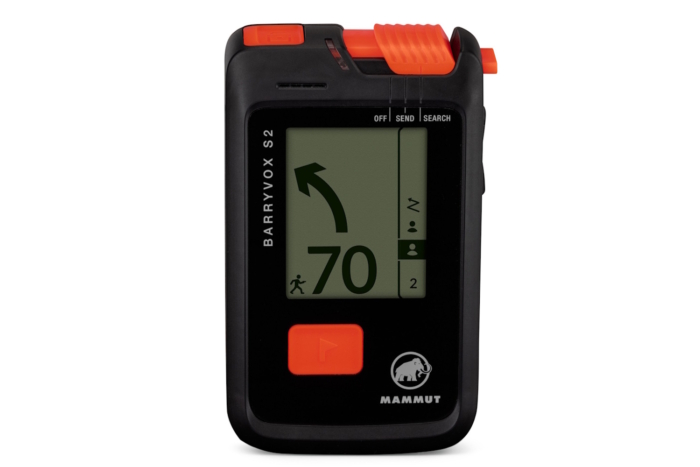
The Mammut Barryvox S2 ($599) is Mammut’s flagship avalanche transceiver. Many pro guides and educators swore by the previous version, but this new version takes an excellent product and makes it even better — no small feat!
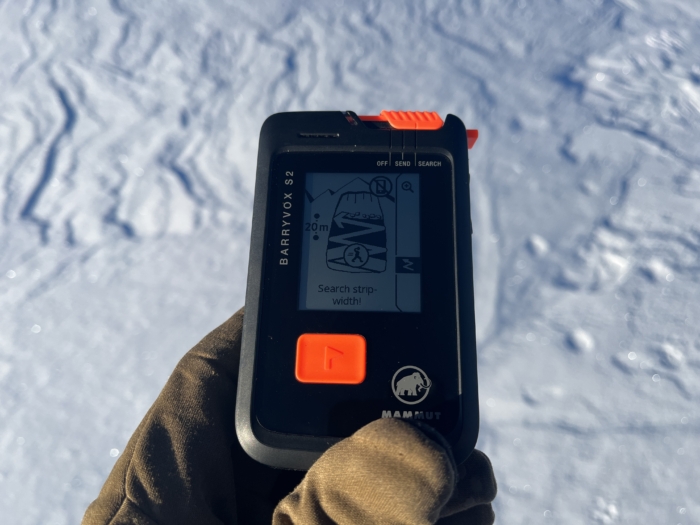
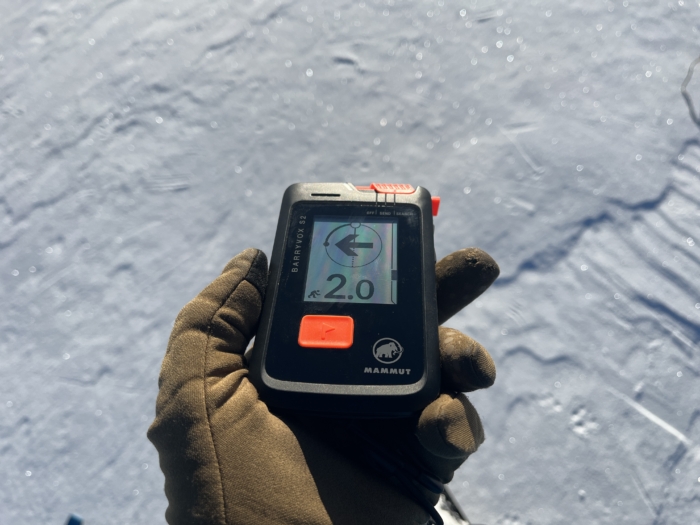
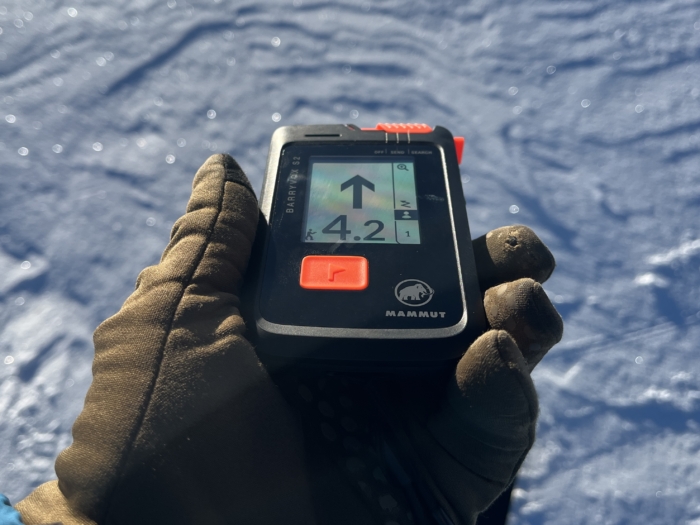
The gorgeous “Memory in Pixel” display is the first thing you notice when turning the Barryvox S2 on. It’s high contrast, works well in bright sunlight with polarized sunglasses on, and is large enough to view all relevant information at a glance. The screen shines with the guided fine search, which provides the user with visual guidance on how to do some rescue steps in the ever-so-critical fine search (starting at about 10 m out or so). For more practiced users, it can feel a little slow compared to how many of us learned to do the fine search. You can easily turn this feature off to use a more traditional cross hairs to find your lowest value. We like the choice, and realistically, we think having these prompts in a real rescue situation would be pretty helpful.
Mammut Barryvox beacons prioritize long-range signal acquisition, locating the signal from further out so you can get to your buried victim quicker, and this new generation is no different. The 70-meter search strip recommendation is on the longer end of beacons on the market, and in our testing, we think it’s a pretty reliable metric. One thing that’s clear when stress testing the S2 compared to the previous Barryvox is that it seems to tame ghost signals and interference much better, so you get long-range acquisition without some of the common drawbacks we used to have, like phantom signals. The Barryvox S2 also indicates that it detects electromagnetic interference and instructs the user to shorten search strips to compensate.
It isn’t easy to summarize this beacon’s special features and advanced functions due to the sheer volume, but we would like to highlight a few that we think most users will find helpful. A group check mode that also checks for frequency drift, a companion app that connects via Bluetooth for changing of settings (which can also be done on the beacon itself), user-upgradeable firmware in the same app, and an auto revert to send function that switches modes if the rescuer is buried in a secondary slide. Rounding out the standard features, a marking function allows you to mask a signal you have already found and verified with a probe.
A significant difference between the Barryvox S2 and the Barryvox 2 is the ability of the S2 to scroll through different signals. This is a feature that many professionals appreciate, as it allows for more advanced triage of a multi-burial scenario, allowing a guide to get a good overview of a complicated rescue scenario. This feature is certainly geared toward professionals, which you can say for many of the S2’s deeper functions, such as an alternative search mode and analog mode, allowing advanced users more tools in complex scenarios.
And we think that’s the beauty of the S2. This beacon doesn’t limit the user in any way, beyond perhaps having to choose between too many features. To take full advantage of the technology packed into this beacon, users need to practice and become fully acquainted with every feature.
The Mammut Barryvox S2 is the most feature-rich avalanche beacon on the market. On the surface, if you used the previous Barryvox S, you might think the screen is a little nicer and it’s just a little physically smaller, but in practical use, we found that everything in this beacon is a little bit better, making it one of the best beacons on the market. The feature set is vast, and the price is high, but if you want the best tool, this is it.
Ortovox Diract Voice
-
-
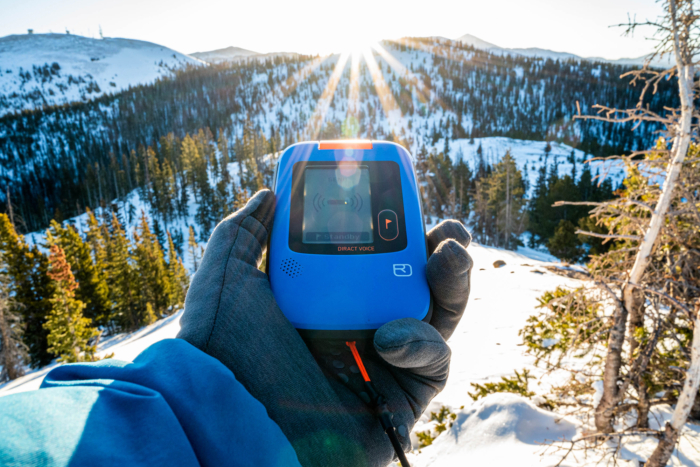
(Photo/Spencer Herford)
-
The range reliably supports 40m search strips but is shorter than some competitors; (photo/Spencer Herford)
-
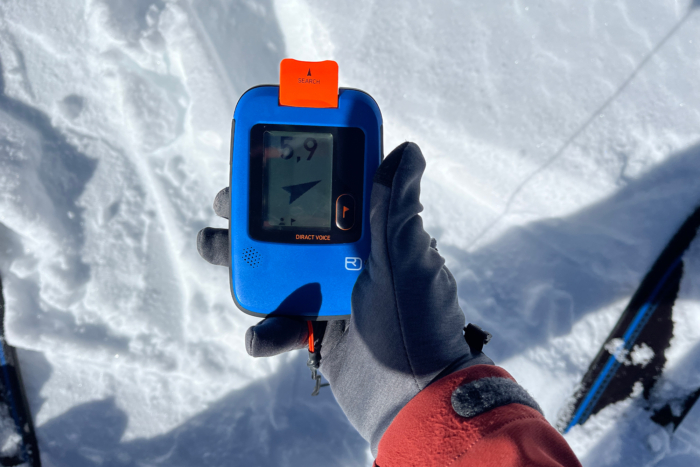
The beacon offers fast and reliable signal acquisition in single burial scenarios; (photo/Spencer Herford)
-
The voice guidance provides clear real-time instructions during rescues; (photo/Spencer Herford)
-
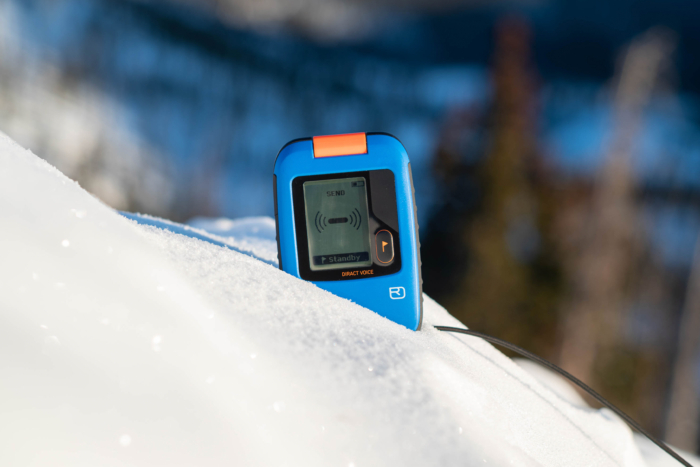
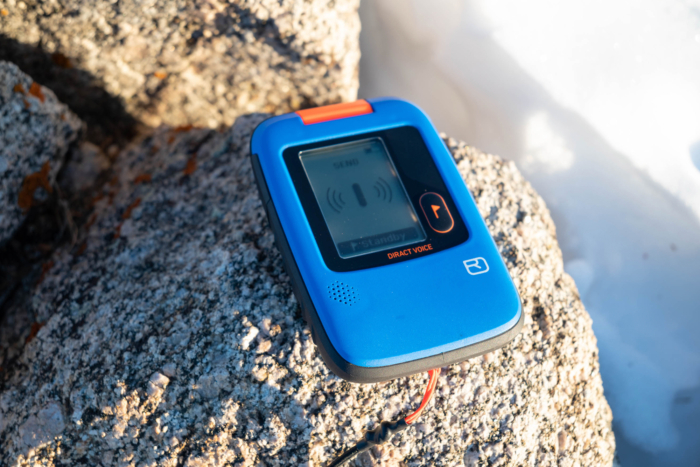
Special features include group check mode and customizable settings via a companion app; (photo/Spencer Herford)
Specifications
Pros & Cons
Pros
- Feels great in hand
- Smart design choices
- Large and easy-to-read screen
- Voice assistance can keep rescuers on track, especially in the signal search phase
Cons
- Noticeably shorter range
- Rechargeable battery is not for everyone
- Voice assistance could be more fleshed out
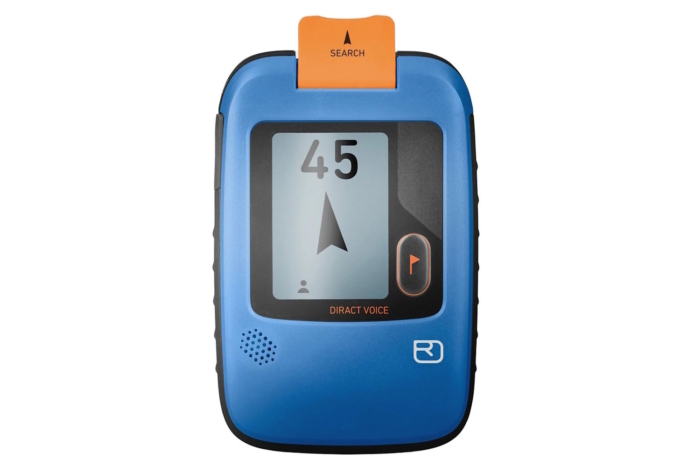
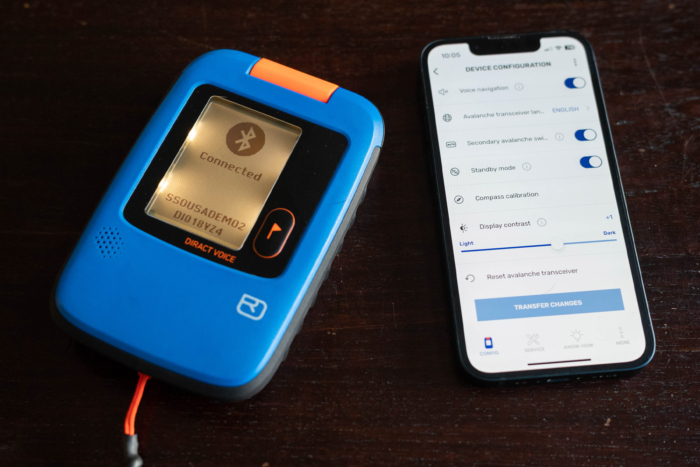
The Ortovox Diract Voice ($450) is a premium avalanche beacon that comes with a unique feature among avalanche beacons: it talks! Ortovox is a company known for very thoughtful design in all its products, and using this beacon you have to be impressed with how nice it feels in hand.
The standout feature of this beacon is voice guidance, which can be turned off in the companion app (there is also the Diract without voice assistance). Testers found the voice guidance to be useful, particularly if we were in a real rescue situation where we would be very stressed and not thinking as clearly.
For instance, if you are following a flux line and getting farther away, the Diract Voice will tell you to “Turn Around!” Simple, but effective in correcting a mistake — following a signal the long way around — that is often made by backcountry users who are learning about beacons or those who don’t practice enough.
From a distance, the voice guidance works well and is helpful for a less practiced individual. As you get closer to the beacon you are looking for, the guidance is more limited, and many testers found it almost distracting rather than helpful. There is so much potential here; well done, Ortovox, for the innovation!
Without voice guidance, this is still a great beacon with two potential caveats. First, it has a noticeably shorter range than any other beacon we tested. It’s still well within the minimum search strip width of 40 m that many avalanche courses will use, but when some other beacons have nearly double the range, it’s noticeable.
The other noticeable difference is the Diract Voice uses a rechargeable lithium-ion battery versus replaceable batteries. In testing, the Ortovox lasted similar lengths of time between charges as any other beacon with AAA batteries.
If you forget to charge your battery, you run the risk of being out of battery and not going skiing or going with a battery without enough charge in it to safely do a rescue. Remember, your beacon will use significantly more power in search than in the send/transmit mode.
Using the beacon without voice guidance, it processes single and multiple burial scenarios very well. The design of the beacon is well thought out, making it easy to swap between modes with gloves on.
The Ortovox Diract Voice has a lot going for it. For newer backcountry users, voice guidance could work really well to help a rescuer in a very stressful situation. We’re very excited to see where voice guidance technology in beacons can go moving forward.
Other Avalanche Beacons We Trust
-
-
best avalanche beacons; (photo/Chris Kassar)
Specifications
Pros & Cons
Pros
- Professional-grade beacon
- Excellent performance in single and multiple burials
Cons
- Slider to change modes has had a problematic history, and the redesign to fix previous issues is now harder to operate for some folks
- Included harness tether is too short
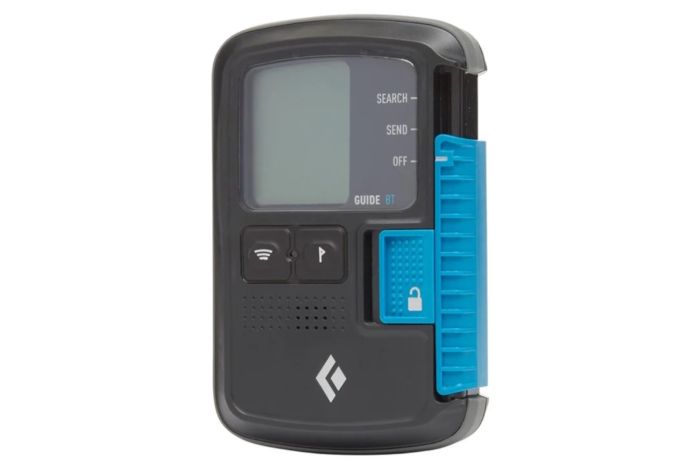
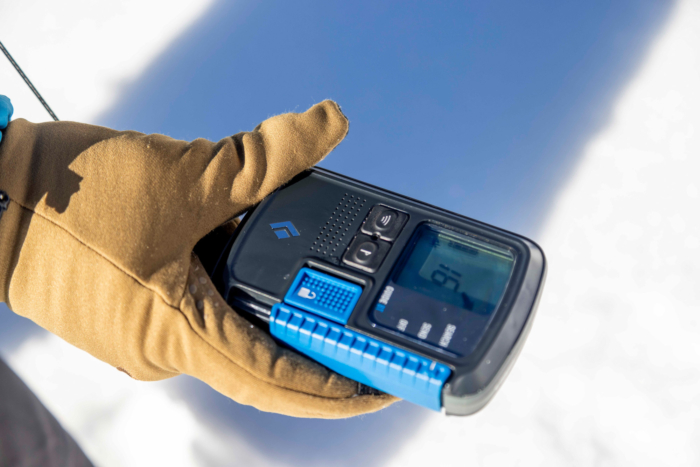
The Black Diamond Guide BT ($500) avalanche beacon is a professional-level beacon with a wide range, excellent performance in single and multiple burial scenarios, and a comprehensive suite of unique features.
While it doesn’t quite have the extended range of the Arva or Mammut beacons we also tested, the Guide BT is fast and sure in processing signals. During the search phase, this beacon provides some haptic feedback with vibrations when it acquires a signal. This is a nice bonus to the straightforward, mostly easy-to-understand user interface. The screen is small and sometimes harder to read with polarized sunglasses.
The Guide BT has a group check mode, though it is a bit quirky in that you must continuously hold down the flag button. If you don’t, it reverts to send mode. This wouldn’t be an issue, except the button is a little tough to hold down, especially with gloves on.
The scan mode is an advanced function enabled while searching via the button next to the flag button that can be useful when you have multiple burials. When enabled, it shows the total number of victims within 5 m, then 20 m, and then 60 m. Practiced users will be able to get a better sense of victims’ locations within the debris field and deploy resources accordingly.
Black Diamond has had a history with a predecessor of this beacon and the DSP Sport, with mode selection sliders not staying put and potentially turning the unit off when slid into the harness. This beacon, along with the Recon X, has redesigned and beefed up sliders that certainly seem to have fixed the issue.
In making it stronger, it’s now a little more difficult to use, especially with thicker gloves on. In direct comparison to how other companies toggle modes, the slider design is certainly our least favorite design choice.
Beyond the ergonomics issues of the slider and small screen, we found this beacon to be incredibly powerful during testing. Recreationalists who would like to go with the Black Diamond beacons are better served by saving a few dollars and going with the Recon X, where you don’t give up too much.
For professionals and advanced recreationalists who like great performance and can work with the design of the beacon, the Black Diamond Guide BT is an ideal choice.
Specifications
Pros & Cons
Pros
- Simple and proven user interface
- Glove-friendly design
Cons
- Multiple burial performance suffers due to signal suppression quirks
- The simple digit display is not as intuitive and straightforward as other beacons tested
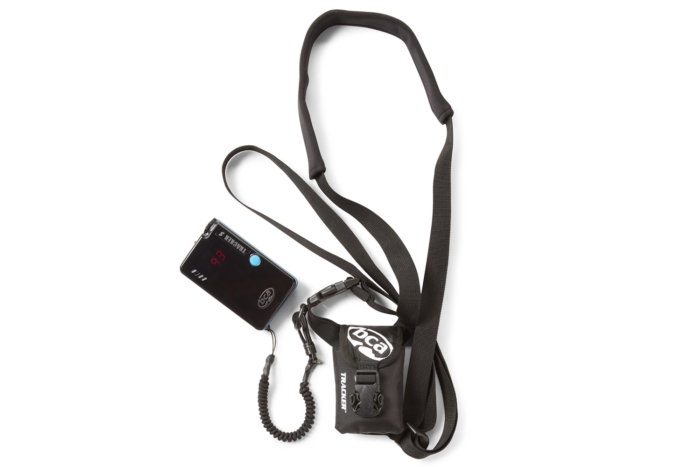
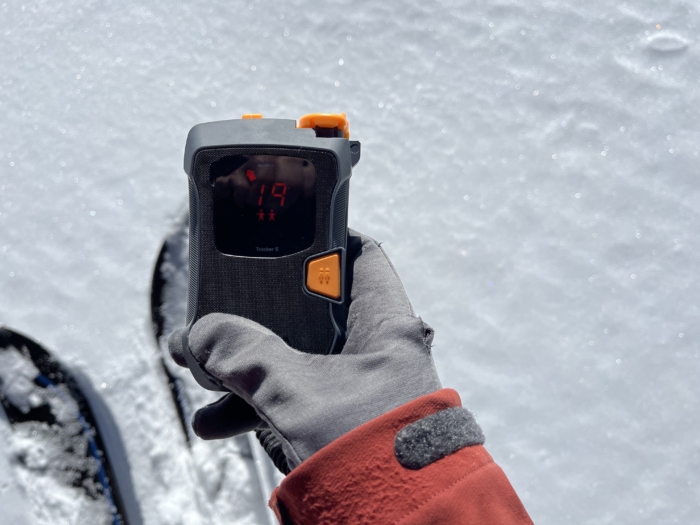
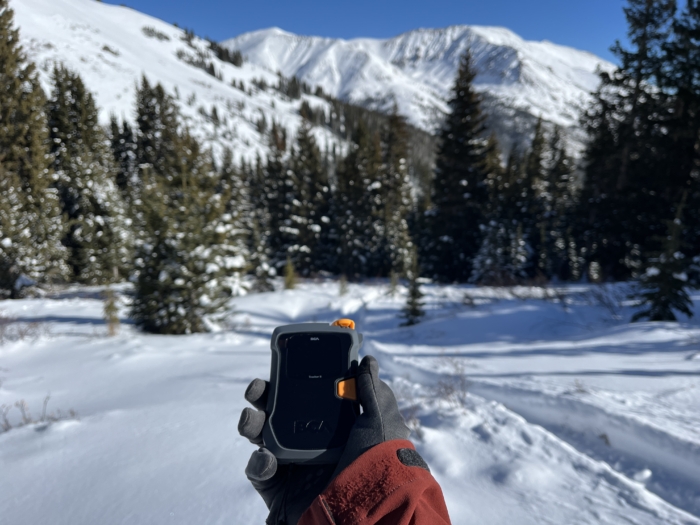
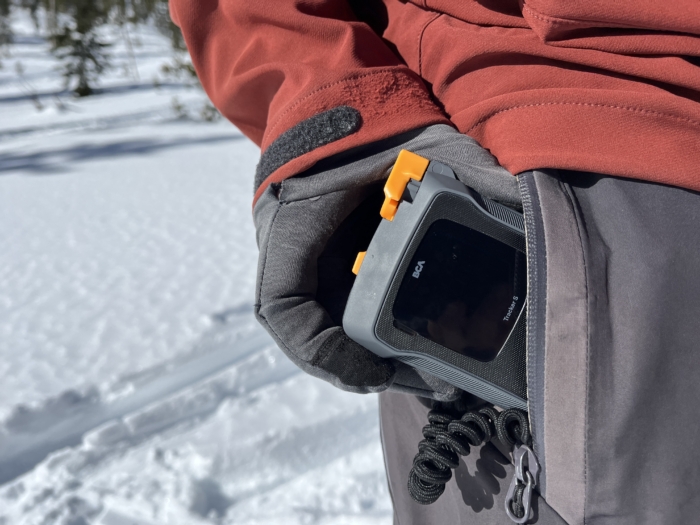
The Backcountry Access Tracker S ($299) is BCA’s entry-level avalanche beacon. The 2025 version sports an improved case design from the previous Tracker S but keeps the same internals.
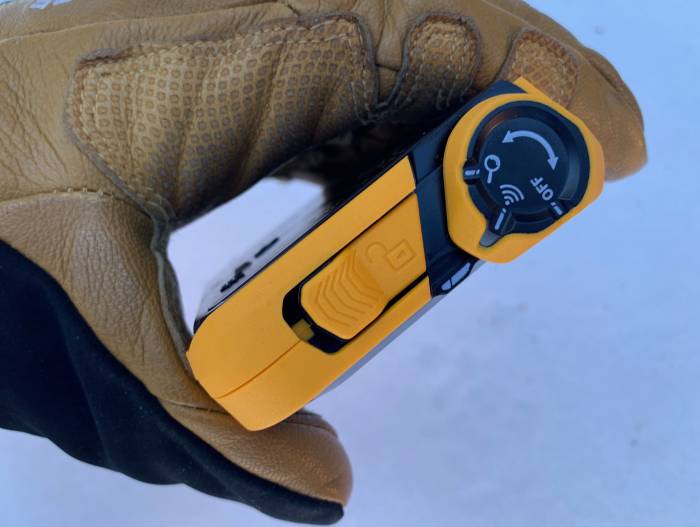
Having used the previous version, the new casing immediately stands out. We like how easy this beacon is to use with gloves on, especially when pushing the options button. Overall, it feels a little nicer in the hand than even the higher-end Tracker 4. Shoutout to the very obvious locking steps on each mode on the mode selector. Everything feels very sturdy and well thought out.
The Tracker S is a very solid entry-level beacon. It performs admirably in single burial searches, with middle-of-the-pack range and processing power. The recommended search strip width of 55 m means you can quickly work an avalanche scene by covering a good amount of ground to find a signal.
The Tracker S can be a little less easy to work with than some other beacons. Being fully aware of what your beacon can do and its special features is important for every beacon out there, of course. But BCA’s usage of a smaller and less advanced screen on the Tracker S means that some information comes in the form of icons and abbreviations that might not be perfectly clear. The Tracker S is designed to be a super simple product, so you can certainly make the argument it doesn’t do more than it needs to.
For special features, the Tracker S can temporarily mask a signal when searching for multiple beacons in the signal suppression mode. This will tell the beacon to ignore the strongest signal it detects (usually the closest one) for 60 seconds while you search for the next strongest signal.
Other beacons on the market do not have the time limit the BCA does. In practice scenarios, signal suppression is functional but can feel confusing and less intuitive than other beacons that use a flagging feature without a time limit. Practice can help with this! And importantly, statistically speaking, most avalanche rescues a recreational adventurer would respond to will be a single burial rescue anyway.
The Tracker S also includes BCA’s big picture mode, which temporarily cycles through all the signals the beacon picks up, including distance and direction. This allows rescuers to get an overall view of the rescue field and how they might deploy resources.
The Tracker S lacks some other features that would be nice to have but aren’t deal breakers, including group check and updatable firmware. It has an auto revert to send mode in case searchers are buried by a second avalanche. However, instead of being tied to an accelerometer to detect motion, it is on a five-minute timer. It also must be turned on every time you turn on the beacon.
The BCA Tracker S combines a wonderful exterior with a simple user interface to make a beacon easy and reliable for most people. For the price, especially when found in rescue bundles that come with a shovel and a probe, this is a great beacon for most recreational users, especially those just starting out.
-
-
best avalanche beacons; (photo/Chris Kassar)
Specifications
Pros & Cons
Pros
- Excellent performance in single and multiple burials
- Great value
- Fast performance in fine search
Cons
- Slider to change modes has had a problematic history, and the redesign to fix previous issues is now harder to operate for some folks
- Screen is small/can be tough to see
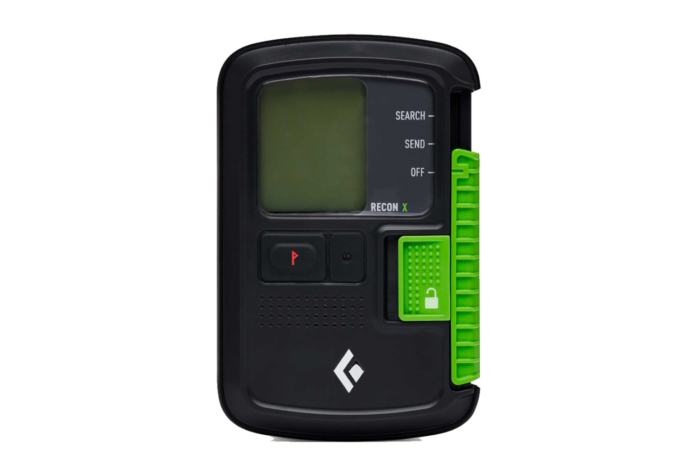
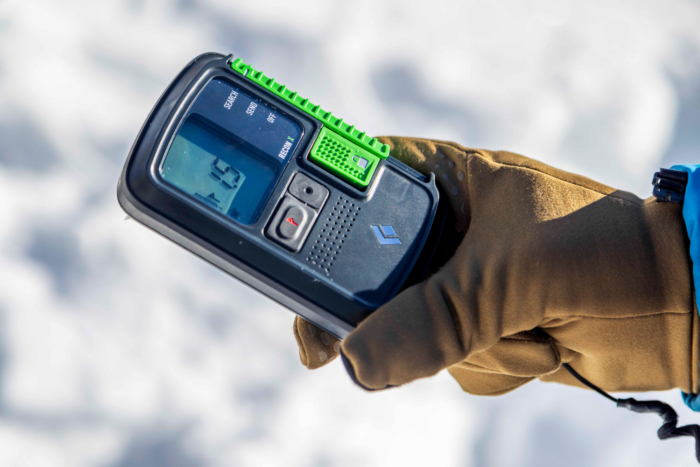
The Black Diamond Recon X ($350) is a more streamlined version of the company’s professional-level Guide BT beacon. While you lose some advanced features, you still get the blazing-fast processor that performs awesomely in single and multiple burial scenarios. It also has some bonus features like group checks and the ability to use lithium or alkaline batteries.
This beacon, in practical use, doesn’t quite have the range of the Arva or Mammut beacons, but it sure is close enough not to be a huge deal. Once the Recon X has a signal, it will guide you with a simple user interface of arrows and distance. Like the Guide BT, the screen can sometimes be harder to see if you use polarized sunglasses, and it feels small.
In testing, we did feel the Black Diamond beacons did really well in the fine search when rescuers were in the critical 5 m range. There is no metric to point to for it being any faster; it was just the impression that the processor was very fast and was harder to overrun like some other units.
For special features, you still have flagging and a group check mode. The Recon X flag button is larger than the Guide BT, and we had an easier time holding that button to use group check mode. We wish you did not have to hold it down the entire time during the group check, though.
Black Diamond has a history with the predecessor of this beacon, the DSP Sport. Its mode selection sliders did not stay put and could potentially turn the unit off when slid into the harness. Its redesigned and beefed-up slider certainly seems to have fixed the issue. However, by making it stronger, it’s now a little more difficult to use, especially when wearing thicker gloves.
Beyond the ergonomics issues of the slider and a smaller screen with some older feeling user interface icons, this beacon shone for his power and performance during testing. If you are looking for your first beacon or replacing an older beacon, the Black Diamond Recon X is a great choice if you can work with the ergonomics.
It’s a much easier beacon to find in the U.S. than our best pick (the Arva EVO BT), and it usually comes in a package with a shovel and probe. For professional or advanced recreationalists, you might like the Guide BT more.
-
-
BCA; (photo/Elk Raven Photography)
-
Specifications
Pros & Cons
Pros
- Fast processing
- Simple and proven user interface
- Glove-friendly design
Cons
- As useful as big picture mode is, multiple burial performance suffers due to signal suppression quirks
- Letter designations and icons are not as intuitive as other beacons tested
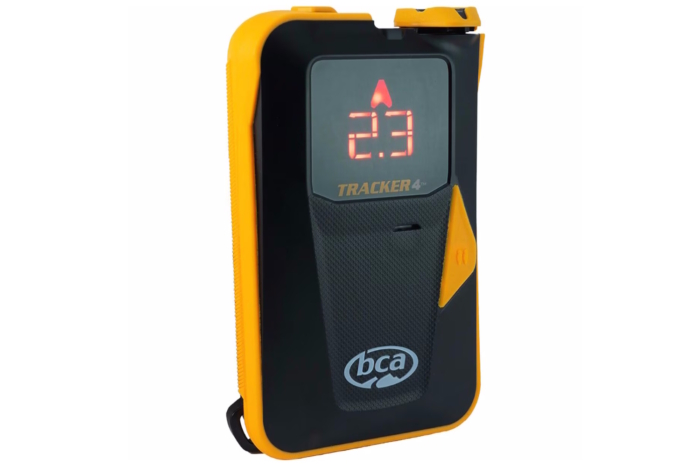
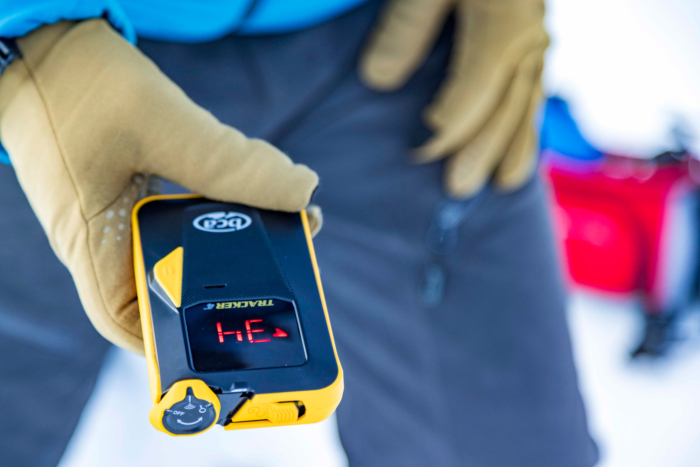
The Backcountry Access Tracker 4 ($399) is BCA’s flagship avalanche beacon, featuring a sturdy case with glove-friendly buttons and a simple and reliable interface. BCA beacons are ubiquitous in avalanche courses and guide operations and are found in the gear closets of many recreational backcountry skiers and riders in the United States. They aren’t flashy, nor do they have the longest range or the coolest special features, but they do the job for which they were designed: avalanche rescue.
During testing, the Tracker 4 never really stood out in any way when directly compared to other beacons, but it also doesn’t have many glaring shortcomings either. In single burial scenarios, the Tracker 4 performed well, with a recommended search strip width of 50 m. Once it acquires a signal, the processor is fast and accurate, bringing you within range quickly.
The simple two-digit display does the job of giving you direction and distance. You must absolutely learn the details about what the different two-letter designations and multiple burial icons mean in the context of a rescue situation, as it’s not always obvious what is going on.
The Tracker 4 isn’t as great in multiple burial situations as other beacons we tested. Signal suppression works by being close to a transmitting beacon and hitting the suppression button, which temporarily masks the closest signal and gives you directions to the next closest signal.
This is done to ensure that a rescuer is not masking the incorrect signal. In practice scenarios, signal suppression is functional but does feel confusing and not as intuitive as other beacons that use a flagging feature.
The Tracker 4 has another mode called big picture, which cycles through all beacons transmitting within range and their rough distance and direction. This can give a good picture of the situation and how to go about deploying rescue resources. However, it requires practice to fully grasp what the display is telling you about the situation.
The BCA Tracker 4 combines a rugged case with a simple user interface to make a beacon that is easy and reliable to use for most people.
Avalanche Beacon Comparison Chart
| Avalanche Beacon | Price | Advertised Range | Battery | Flagging Feature | Group Check | Auto Revert to Send | Updatable Firmware |
|---|---|---|---|---|---|---|---|
| Arva EVO BT | $389 | 60 m | AAA Alkaline or Lithium | Yes | Yes | Yes | Yes |
| Mammut Barryvox | $299 | 70 m | AAA Alkaline | Yes | Yes | Yes – four minutes | No |
| Mammut Barryvox S2 | 70 m | AAA Alkaline or Lithium | Yes | Yes | Yes | Yes | |
| Ortovox Diract Voice | $450 | 50 m search strips | Rechargeable Lithium Ion | Yes | Yes | Yes | Yes via app |
| Black Diamond Guide BT | $500 | 60 m | Alkaline or Lithium AA | Yes | Yes | Yes, disabled by default | Yes via app |
| BCA Tracker S | $299 | 50 m | AAA Alkaline | Signal Suppression for 60 seconds | No | Yes. It must be activated every time when powering up, (5-minute timer) | Yes, it must be activated every time when powering up |
| Black Diamond Recon X | $350 | 60 m | Alkaline or lithium AAA | Yes | Yes | Yes, enabled in app | Yes, via app |
| BCA Tracker 4 | $399 | 50 m | AAA Alkaline | Signal suppression for 60 seconds | No | Yes, must be activated every time when powering up | Yes, via PC connection (mac not supported) |

How We Tested Avalanche Beacons
Our Expert Testers
Our main tester, Spencer Herford, is an avalanche instructor, backcountry skier, and split boarder who has been using beacons for over two decades. He is an AIARE Course Leader, split board and ski guide, and a graduate of the Colorado Mountain College Avalanche Science Program. Fortunate enough to learn from countless leaders in the avalanche safety realm about snow science and rescue, Herford has participated in, led, and designed countless rescue scenarios.
As an avalanche educator, he has had the honor of starting many people’s backcountry careers. Often, this includes coached rescue drills. As a result, he gets to see every beacon on the market used in a range of rescue scenarios. This makes him uniquely poised to advise how each beacon shines and where each could use some improvement. Because he is out there over 100+ days a year, year after year, Herford also stays abreast of technological advancements. He also has his finger on the pulse of improvements (or failures) made on beacons from year to year.
Our Testing Grounds & Process
Scenarios
We used each beacon in single and multiple burial rescue scenarios designed to mimic real situations a rescuer might face. Each beacon was tested multiple times in these mock rescues. We looked at how fast each processed signals and how well it handled EMI. We also tested to see how it operated with gloves on and how intuitive it was to use. We enlisted the help of backcountry partners, former students, and professional colleagues to give more targeted feedback on scenarios.
We tested in several venues in central Colorado, many of which are used in avalanche education courses. These are usually large open areas free from distraction that simulate a debris pile. Each scenario started from the point last seen, which was outside of the search area. We then turned the beacon to search mode and started search strips to find the signal, usually in 40 m strips.
As we tested beacons, we also tried the manufacturer’s recommended search strips to gauge how well those worked. Once a signal was acquired, we followed the arrows and distance to the sending beacon. As we approached below five m, we did our fine search with the beacon close to the snow surface. After finding the lowest number, we verified with a probe strike.
In the Backcountry
Beyond rescue simulations, we also carried these beacons on personal backcountry tour days. We did trailhead departure checks to ensure each member had adequate battery power (usually above 60%) and could send and receive a signal. We also looked for how well the supplied harness carried the beacon or how the beacon fit into a dedicated rescue pocket in ski pants. If you’re looking to round out the rest of your touring kit, check out our guides to the best backcountry skis, backcountry bindings, backcountry boots, and our latest round-up of the best climbing skins.

Buyer’s Guide: How to Choose the Best Avalanche Beacons
Avalanche rescue technology is an ever-changing landscape. Just look at how beacon technology has changed in recent memory. We started with single-antenna analog beacons that were difficult to use. We have now progressed to new modern three-antenna beacons that are incredibly intuitive and fast, even for new users. We would recommend you consider a few things when choosing an avalanche beacon.
Ergonomics
Everyone has different-sized hands and uses different types of gloves outside in winter. Some folks deal with freezing hands and use thicker gloves. We encourage you to wear the gloves you plan to use most often when trying out beacons.
Make sure you can turn it on and switch modes effectively. Taking gloves off to use rescue gear can lead to cold or wet hands. We tried each beacon with various gloves to see how easy it was to use. The Ortovox Diract Voice stood out among the tested beacons as the most comfortable and easy to use.

Range
Range, or the distance from which a beacon can pick up a signal, is a complicated metric. Although important, it’s not the only factor to rely on when choosing a beacon. It makes sense to want to pick up a signal from as far away as possible because this allows rescuers to get to the actual grunt work of the rescue (shoveling) more quickly.
However, in some cases, the ability to pick up a signal at a more extended range comes from a beacon’s increased sensitivity. Ultra-sensitive beacons can be prone to more cases of EMI, which can make a rescue more difficult due to phantom signals or misdirection. Mitigating EMI is an area of notable innovation in the past few years.

Many beacons are integrating software to handle this interference. In some cases, beacons can even mask it or process it out. Some beacons we tested will also notify you of EMI with an icon. Or, they will tell you to shorten search strips to better filter out the noise.
Generally, our testers recommend beacons with more extensive receiving ranges because rescuers can close the gap to a victim faster. It also increases the potential to pick up multiple buried victims faster to deploy resources better. The Mammut Barryvox S2, Arva Evo BT, Pieps Pro IPS, and Mammut Barryvox are the clear winners for range in the test. The Black Diamond BT Pro and Recon X rank close behind.

Special Features
At the basic level, an avalanche beacon needs to be able to send and receive a signal from other beacons. Beyond that, we see a few special features that can be helpful depending on how you plan to use the beacon.
Flagging
A major one is a flagging mode, which essentially tells your beacon to ignore a signal and give information on the next signal. This is helpful in multiple burials; many professionals see this as essential. For recreationists, if you are skiing in avalanche terrain, the best rule you can follow is to expose only one person at a time to the hazard.
Many times, recreational avalanche rescues tend to involve only one buried individual, which makes flagging less critical. If you use flagging, you need to be absolutely sure you are masking the correct signal.
Group Check Mode
Beyond flagging, many beacons can feature a group check mode, which is helpful for making sure your partners are sending a signal. This mode shortens the beacon’s receiving range and allows for these departure checks even if there are many other groups around you.
Auto Revert to Send
Imagine if you were conducting a rescue and another avalanche came down on some of the rescuers. If they were all in search mode, rescuers not caught wouldn’t be able to find them if their beacons stayed in search mode. On some models, the “auto revert to send feature” kicks in when a beacon doesn’t sense movement for 2 to 4 minutes, and it automatically reverts to send.
Big Picture/Overview
The Black Diamond Guide BT and the BCA Tracker 4 both feature a special mode that gives an overview of the rescue field by showing where multiple signals may be located. The Black Diamond mode shows the number of beacons at different distances away, and the BCA mode cycles through all the signals with a direction and distance. For practiced users, this is a great tool for gauging how to deploy resources accordingly.

Updateable
We are all used to updates in the digital world, and our beacons are no different. New and improved features, better processing algorithms, battery optimization: all of these things can be improved in software updates.
Many beacons are moving to make these updates very easy to manage through companion apps so your beacon is the best it can be. The Arva, Black Diamond, Pieps, and Ortovox all come with app support. The BCA Tracker 4 can be updated via USB, but only on a PC. The Mammut Barryvox requires a trip to a dealer.

Ease of Use
How intuitive is the beacon for you to use? Is it obvious how to turn it on and off? Do the icons on the screen make sense? In rescue situations where your partner could be buried below the snow, you are their lifeline! This is a huge responsibility. Having a beacon that is easy to switch into search mode, with a screen you can see and directional prompts (visual or audio) you can easily follow, is crucial in a situation where every second counts.
Being calm and level-headed in a rescue situation is critical for your partner’s survival. Using a beacon that provides clear direction could help with that. We really appreciate the on screen prompts of the Arva EVO BT, the Mammut Barryvox, the Pieps Pro IPS, and the Ortovox Diract Voice.

Price & Value
Budget
Avalanche beacons at this level cost less than $300. These are typically considered entry-level beacons because you don’t get all the features of the more expensive tiers. For example, the BCA Tracker S ($299), a lighter, slimmed-down version of the Tracker 4, has fewer bells and whistles — it excludes upgrade software or a motion-sensing auto-revert function.
However, our favorite budget option, the Mammut Barryvox ($299), has a long-range, tenacious signal lock, an easy-to-read screen, and an intuitive user interface, and it feels great in hand. It also doesn’t have upgradable software, but nothing else on the market at this price point functions as well or reliably as it does.
Mid-Tier
For $100 more, you can get our top pick, the Arva EVO BT ($389), which rises above the rest due to its superb performance and ability to acquire a signal from a distance. It also has many features that make it stand out, including its clear, backlit screen with easy-to-see directions, a very useful group check mode, and its reliability in multiple or single rescues.
Premium
Patrollers and guides may want to go with a premium choice due to upgrades in performance and interface. The Mammut Barryvox S2 ($599) and Pieps Pro IPS ($539) avalanche beacons are our top choice for professionals due to their wide range, excellent performance in single and multiple burial scenarios, and comprehensive suite of unique features.
Though the Pieps doesn’t have the extended range of the Arva or even the Mammut (our budget option), it was quicker and more certain in processing signals. Another option in this price range, the Ortovox Diract Voice ($450), has a feature that no other beacon we tested does.
Frequently Asked Questions
Avalanche beacons save lives. Many avalanche fatalities in the United States still occur because the victim was not wearing an avalanche beacon. This makes their partners attempt to find them equivalent to “finding a needle in a haystack.” Its tragic that these deaths still occur when life saving technology is widely available.
A successful rescue is not just dependent on the correct equipment, however. It’s also critical that you and your touring partners are well practiced in the use of your beacons and avalanche rescue so you are ready to respond instantly.
Do all brands of avalanche beacons work together?
Absolutely! All brands of avalanche beacons use the same frequency: 457kHz. This is an international standard. Rest assured, you and your partners will all be sending and receiving on the same frequency. That said, older beacons have a tendency to “drift” from this 457kHz signal standard.
It’s recommended to test for this drifting every year after your beacon hits the five-year mark or so. A beacon that no longer transmits on the correct frequency cannot be found by other beacons. Many manufacturers offer a summer service to check your beacon is functioning properly. Some beacons, like the Arva Evo BT, even have a group check mode that can check other beacons in your group for frequency drift.
A smartphone is an essential item when ski touring. Digital mapping, a camera, trip planning, emergency communications, etc., are all critical for a day out. Even a cellphone in airplane mode can interfere with a beacon. Keep your phone (and any electronic device) at least 8 inches or 20 cm away from a transmitting beacon. In search mode, the distance should be at least 20 inches or 50 cm away, and at least 36 inches or 1 m away if you are sending a signal with the phone, like calling for help.

Avalanche beacons send and receive a radio signal at 457 kHz. A beacon can be susceptible to interference from other electronic devices and metal objects if they are too close to your beacon. In general, experts recommend a minimum of 8 inches (20cm) of distance from a beacon in the send/transmit mode, and at least 20 inches (50cm) from a searching beacon. Interference is more likely when searching, and especially at your beacon’s maximum reception range.
This Electromagnetic Interference (EMI) can look like incorrect distance or direction reading, signals that pop up and go away, multiple signals when there shouldn’t be, etc. Many beacon manufacturers are starting to integrate software that senses EMI and will tell the rescuer to remove the source of interference if possible, or shorten search strips.
Black Diamond did extensive work on testing common electronics and how they can interfere with beacons in search mode. Common culprits of EMI include smartphones, radios, smart watches, satellite communication devices, snowmobiles, heated gloves, and even ambient conditions like nearby high voltage power lines can all interfere with your beacon in various degrees of severity.
We would strongly encourage careful consideration and testing of the personal devices you choose to carry into the backcountry, and how they might potentially interfere with a beacon search.
Smartphones can do pretty much anything, but they cannot take the place of a dedicated avalanche beacon. The main reason is that a phone can’t pick up the frequency used in all avalanche beacons, 457kHz. This frequency is a longer wave frequency which is amazing for avalanche burials, as it can penetrate through the snow it’s buried under to send its signal to other beacons searching for it.
At the present time, a smartphone cannot pick up this signal, which over many decades of use has been proven to work effectively. Smartphones have a few notable limitations, mainly battery life in cold environments. Avalanche beacons can send a signal for several hundred hours, and search for at least an hour, in extremely cold temperatures. And even if our phones could pick up the signal, its far more difficult to use a phone screen with wet gloves and cold fingers in a stressful life-or-death situation.
Refer to the manufacturer’s recommendation for specifics on your beacon, but in general, we would suggest upgrading your beacon every 5 to 7 years. Beacon technology is improving every season, and new innovations make rescuers’ jobs easier and can help save lives.
Some manufacturers offer a service to check to make sure an older beacon is still functioning properly, and one important aspect of that is to make sure the frequency a beacon sends a signal on has not “drifted” from the standard 457 kHz. This can happen on older beacons, and if it drifts too far, other beacons will not be able to pick it up as well or potentially at all.
When we respond to an incident, we start by assessing the scene. Can we, as rescuers, enter the scene without hazard from another avalanche? We want to then choose a leader, someone who can delegate tasks accordingly. We check to see how many people are missing and then call for help via phone or satellite messenger.
Search and rescue will take a while to reach your location, so the sooner they can get started, the better! You might need more help with medical issues or help transporting your partner out if they are not able to move. Next, rescuers switch transceivers to search and then determine where to search, usually below the point where the victim was last seen.
We start our coarse search with search strips, a minimum of 40 m zig-zagging down the debris field, leaving 20 m to the sides. This phase is moving fast, trying to get your initial signal. Once we get a signal, we slow down a little, following the direction arrows. A number will show on the beacon, indicating distance in meters. This number should go down as you follow the numbers to the buried beacon.
As we get within 10 m or so, we want to take off our skis/splitboards/snowshoes. This allows all rescuers to move a bit more freely in the area. As the distance gets to 5 m or so, we want to get the beacon right around knee-high, right above the snow surface. This part is where you have to really slow down and allow the beacon to process the signal.
We search for the lowest value, and then mark the snow and start probing from that low point on our beacon. Probe in a spiral pattern outwards. Usually, you will strike the victim, and then you start digging.
This is an avalanche rescue in a very abbreviated summary. Here is a great video breaking down this process.
A dedicated 1-day rescue course, commonly available in the United States, is highly recommended. It’s one thing to read about how to do a rescue; it’s another to have coaching, practice, and build up muscle memory. The more you practice, the more likely you will respond with purpose if your partner were to be buried.