We’ve been deep in the backcountry for years. Our team of guides and intrepid wanderers has tested the best satellite messengers on both professional and casual expeditions. Our most recent testing adventure saw GearJunkie Editor Nick Belcaster complete a 115-mile packraft circuit above the Arctic Circle, tracking and sending messages all along the way.
While satellite messaging capabilities are coming to mobile phones soon, we still see great utility in carrying a solid device like the Garmin inReach Messenger, our top pick. And if you just need a simple backup device, the budget ZOLEO Satellite Messenger is a solid companion. When push comes to shove, the SOS button is only a press away.
Our team has put each device through its paces over several years now, and we even went global with these messengers: challenging reception across Iceland and from the bottom of the world in Patagonia. Our years of testing inform all of our suggestions; Read on for our lead picks.
Editor’s Note: We updated our Satellite Messengers guide on September 2, 2026, to improve our Comparison Chart by adding a side-by-side functionality, and re-organizing information in the Networks, Subscription Plans, and Durability sections of our Buyer’s Guide.
The Best Satellite Messengers of 2026


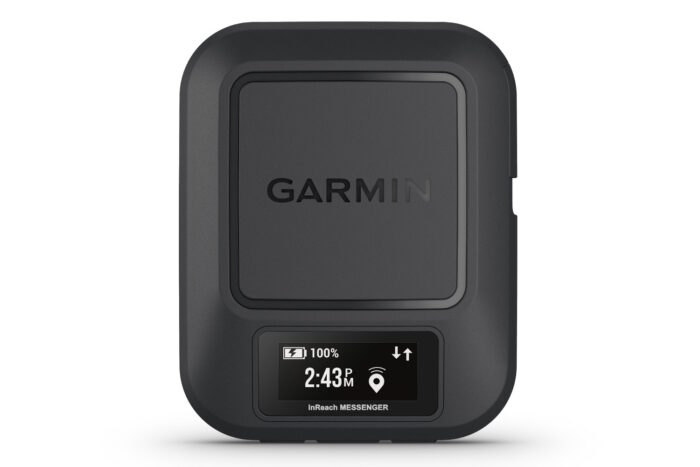
Garmin inReach Messenger
-

-
(Photo/Nick Belcaster)
-
(Photo/Nick Belcaster)
-
(Photo/Nick Belcaster)
-
(Photo/Nick Belcaster)



Specifications
Pros & Cons
Pros
- Compact size and weight
- Access to global Iridium satellite network
- In-depth functionality
- Extended battery life with reverse USB-C charging
Cons
- Small screen for on-device typing
- Higher initial cost
Bottom Line: Best standalone communicator for long trips. Has automatic switching between cellular, Wi-Fi, and satellite data, exceptional battery life (up to 28 days), and a screen clear enough for basic messaging without pairing a phone.
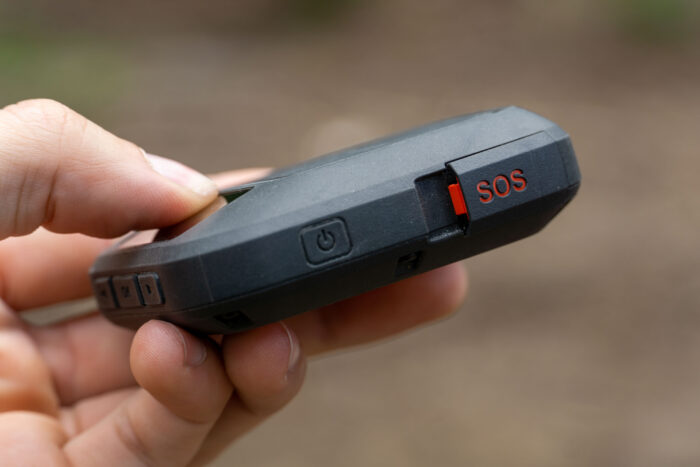
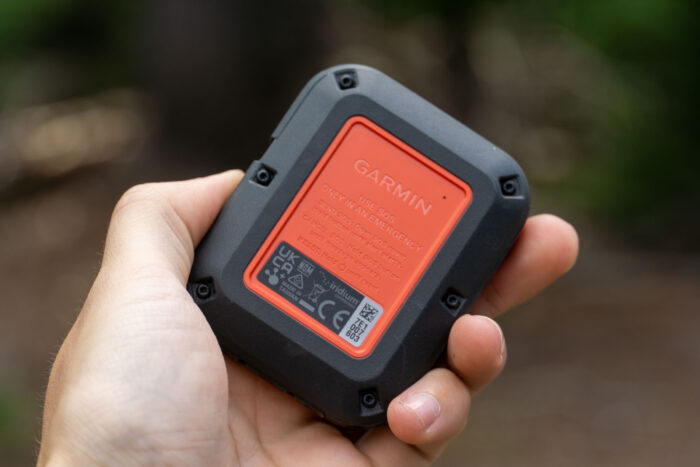
During a 100-mile packrafting circuit in Alaska’s Brooks Range, the Garmin inReach Messenger ($300) proved exactly why it’s my top recommendation for a primary lifeline. It intelligently switches between cellular and the Iridium satellite network, a very slick feature when I was moving between bush plane pick-ups and deep wilderness. Even when I was buried in dense bushwhacking or stuck in sudden Arctic storms, the connection remained rock-solid. It’s the most consistent coverage I’ve tested, punching through where other units tend to stall out.
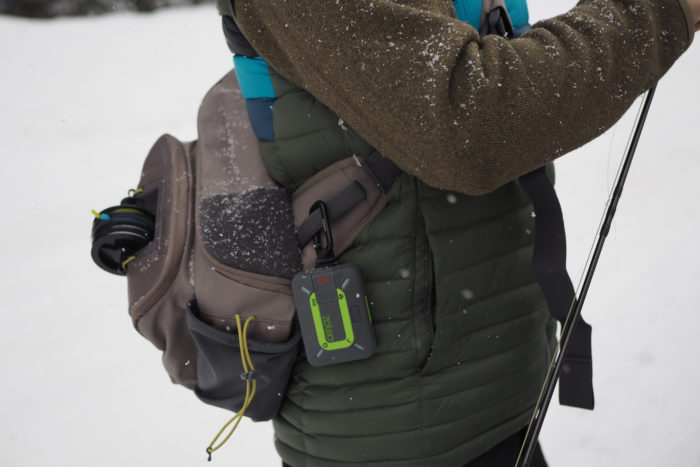
Weighing just 4 ounces and measuring 3 by 2.5 inches, this unit lived on my pack strap for my entire 8-day traverse. Despite its tiny footprint, the IPX7-rated build is bombproof. While the phone integration via the Garmin Messenger app makes drafting texts a breeze, I really value the on-device screen as a fail-safe. When a rising river flooded my camp or 50 mph winds made fumbling with a smartphone impossible, I could still send standalone check-ins and check weather forecasts directly on the hardware. It’s the ultimate insurance for when your other electronics are soaked or frozen.
Garmin recently introduced a Plus version that sends crisp photos and voice memos, which is a massive leap for satellite tech, but it comes with a $200 premium. During my time in the Arctic, I found that clear, unfailing text communication was the only absolute essential. While photo sharing is a fun luxury for showing off a grizzly track or a sunset, the standard Messenger delivers the core safety features I need without the extra cost. It’s the sweet spot for durability and straightforward reliability in high-consequence environments.
The value proposition got even better with the late 2024 subscription updates. The new Consumer: Essential plan now offers 50 messages per month (a huge jump from the previous 10), and the shift to a month-to-month model matches the old annual rates without the yearly fees. Even as satellite-capable smartphones hit the market, there’s a place for a dedicated tool like this. It’s a stand-alone communicator that will always work, even if you drop your phone or it dies in the cold.
ZOLEO Satellite Messenger
-
-
(Photo/M.T. Elliott)
-
(Photo/Katie Eichelberger)
-
(Photo/Katie Eichelberger)
-
(Photo illustration/M.T. Elliott)
Specifications
Pros & Cons
Pros
- Budget price
- Combination of on-device and in-app functions
- Ease-of-use
- Stout Iridium satellite network reception
- Medical Assist function connects you to a medical professional
Cons
- Limited on-device functionality
- Cannot type messages directly on the device
- Chunky compared to some other devices
Read Review: ZOLEO Makes an Everyday Satellite Communicator, Emojis and All
Bottom Line: Best seamless phone-paired texting experience. Assigns a permanent SMS number and email address to your account so contacts can reach you like a regular text message, seamlessly failing over between cell, Wi-Fi, and Iridium satellite networks.
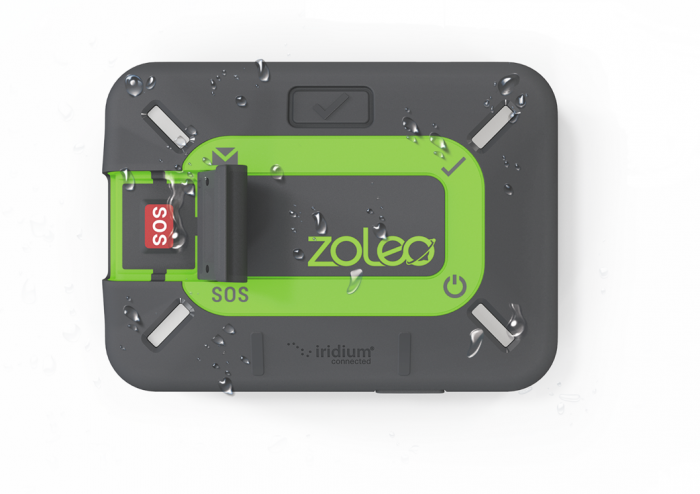
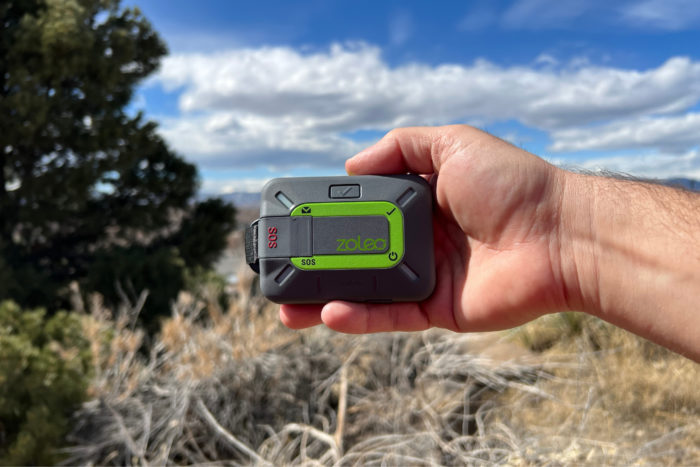
The best budget satellite messenger doesn’t have to be the most basic. The ZOLEO Satellite Communicator ($149) offers straightforward on-device functionality with a wider suite of options when paired with the smartphone app, building a variety of abilities for a budget-minded adventurer who doesn’t want to skimp on capability.
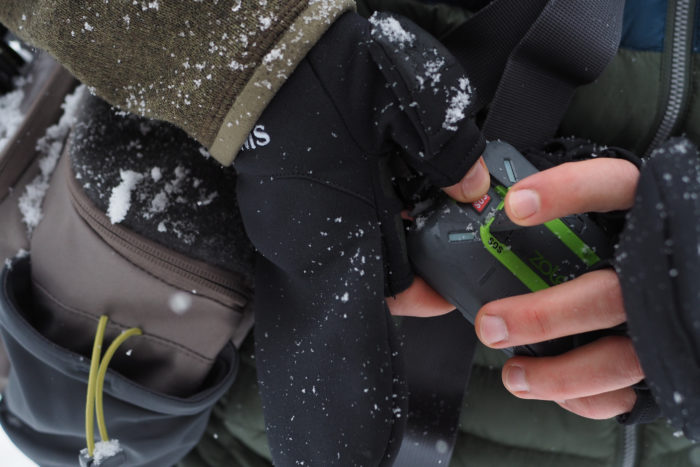
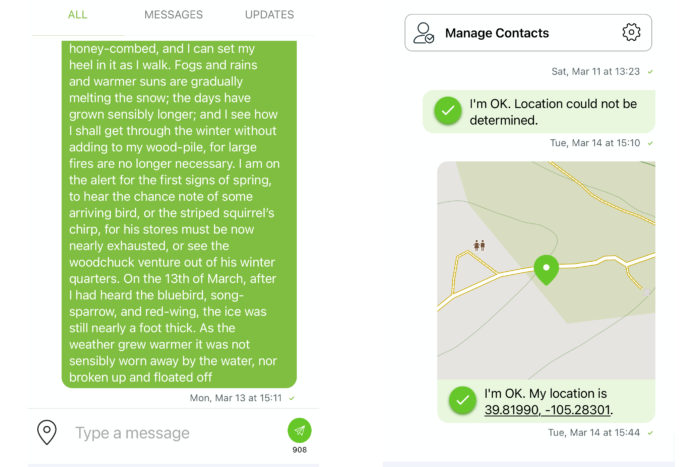
The Satellite Communicator offers basic messaging via the device — think SOS and a pre-set “okay” message — and then adds to that with additional options via the smartphone app that includes message composition for both sending and receiving.
Primarily using the Iridium global satellite network, the device can also send messages using cellular coverage. Like the Garmin Messenger, the ZOLEO device will default to sending a message with cellular or Wi-Fi service if it’s available, and will even receive messages if the device is turned off.
Last year, ZOLEO rolled out a new functionality I’ve never seen before called Medical Assist. This connects you with a medical professional to ask simple questions (read: if it’s serious, hit the SOS instead). This elevated capability is something that no other device currently offers, and for simple first-aid queries, I think it’s an excellent addition.
Within the simple app, you can compose specific messages — though not on the device itself. This was my main quibble with the ZOLEO device, as it can be incredibly useful in coordinating, and having the potential to lose the ability, should your phone die, is a tough sale. Luckily, the Power On button can send out a pre-set alert that lets a programmed contact know you are doing fine, which is a good addition, in my opinion.
I enjoyed the durable design of the device, the budget-friendly initial cost, and the added functionality of the app. When taken together, the Satellite Communicator from ZOLEO offers a solid entry point for someone looking for a satellite messenger without needing full on-device functionality.
If you only need the big red SOS button (and the occasional “I’m OK” message), the $150 SPOT Gen4 is my go-to for tossing in the glove box and forgetting about. But for $50 more, the ability to craft your own messages elevates this device without going overboard with functionality you might not use.
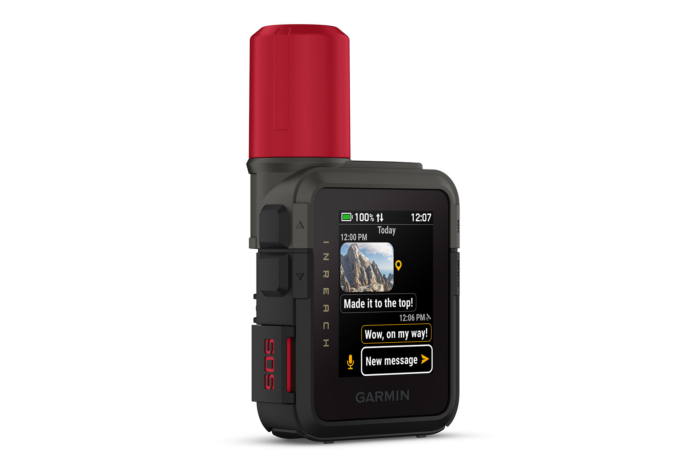
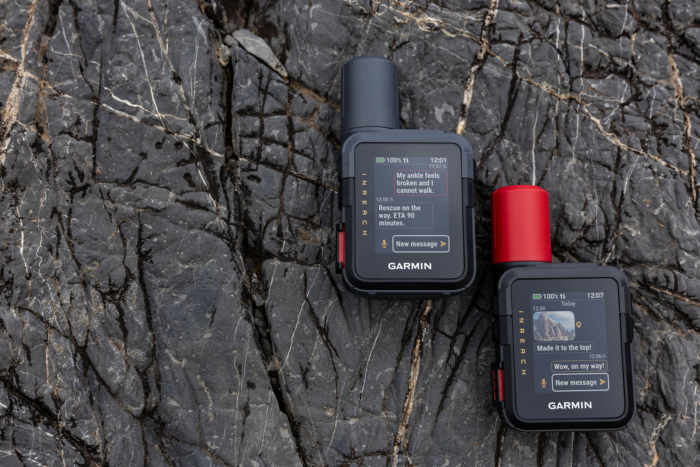
Garmin inReach Mini 3 Plus
-
-
Mini 3 (left) and Mini 3 Plus (right); (photo/Garmin)
Specifications
Pros & Cons
Pros
- Faster messaging with touchscreen
- Voice and photo tools add useful context
- Strong battery life
- Impressive multi-band GNSS reception
Cons
- Higher price for full features
- More complexity than earlier Minis
- Simple GPS and mapping functionality
Bottom Line: The benchmark ultra-compact communicator for weight-conscious backpackers. Delivers full two-way satellite messaging, interactive SOS, and breadcrumb navigation in a 3.5-ounce package that mounts easily to shoulder straps.
The Garmin inReach Mini 3 Plus ($500) is the kitchen sink of ultralight satellite messengers. For years, I’ve carried the Mini 2 as my primary lifeline, but this third-gen update effectively kills off the button-mashing frustration of the past with a vibrant, glove-friendly color touchscreen.
It’s still palm-sized and disappears into a pack strap, but the internal engine has been bored out to support the new inReach Plus service. This means we’re finally moving beyond 160-character limits to 1,600-character messages. And, the real kicker: the ability to send 30-second voice memos and high-res photos via satellite.
During field testing by backcountry guide and GearJunkie editor Rachelle Schrute in the dense timber of the Montana backcountry, the multi-band GNSS was a standout. She intentionally sought out the deepest green tunnels where older units had struggled. The Mini 3 Plus locked onto satellites nearly instantly.
The ability to snap a photo of a washed-out ridge or a grizzly track and send it home with actual visual context is a massive functional safety leap. Garmin even threw in a 110dB emergency siren that is loud enough to be genuinely startling. It’s a feature you hope to never use, but are glad is there.
While it’s grown slightly to 4.4 ounces, the trade-offs are non-negotiable. The battery life is still impressive, offering up to 330 hours in tracking mode. And, the new interface feels like a natural extension of your phone rather than a ’90s pager. If you want the most capable, communication-heavy lifeline that won’t weigh down your kit, the Mini 3 Plus is the new top choice.
Garmin GPSMAP 67i
-
-
(Photo/Nick Belcaster)
-
(Photo/Nick Belcaster)
-
(Photo/Nick Belcaster)


Specifications
Pros & Cons
Pros
- Incredible updated battery life over previous model
- Large, bright, easy-to-see display
- On-board messaging capabilities
- Waterproof rating of IPX7
- Expanded global navigation system and multiband technology
Cons
- Larger overall size
- Pricey if you don't need the GPS abilities
Bottom Line: The ultimate mapping unit and messenger in one. Has full TopoActive mapping, multi-band GNSS, and dedicated button navigation paired with inReach satellite tech.
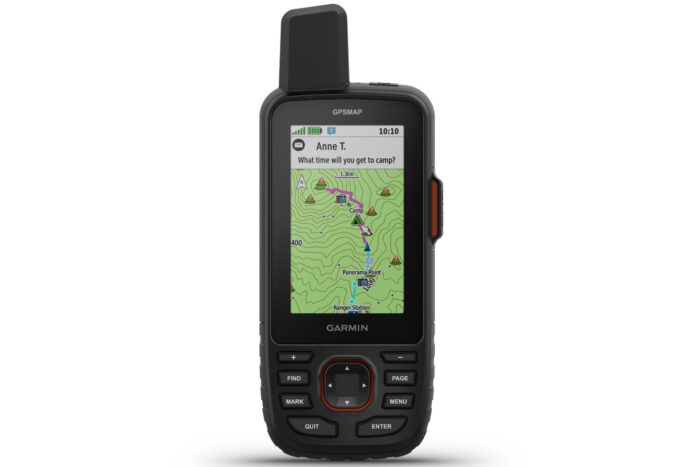
Best thought of as a GPS first, communicator second, the Garmin GPSMAP 67i ($600) is the rightful heir to the place long held by the now-discontinued inReach Explorer+ and offers an impressive amount of mapping ability in conjunction with its messaging chops.
As a stand-alone GPS, the 67i has just about everything you’d be looking for — but once you add in the inReach communication abilities, it becomes a true powerhouse for those who want an all-in-one device. Easily accessed, the messaging can be accomplished on or off the device and makes use of predictive text to breeze through messages.
In addition to the full suite of inReach messaging abilities, the 67i also supports both basic and premium weather forecasts for both land and marine locations. These forecasts can be incredibly helpful when you’re deep into an expedition and need to shed a little light on what’s in store for the next week.
While my previously recommended Best Overall GPS choice, the GPSMAP 66i, was not compatible with Garmin’s new Messenger app, I was happy to see that the updated 67i gains the functionality. This is a fantastic boon for typing out extended messages on the app and means that the 67i can take advantage of the ability to send messages through cell or Wi-Fi service before pivoting to satellite use.
At a larger overall footprint and weight, I advise utilizing the GPS capabilities of the GPSMAP 67i to make it worth carrying along. I still think that the smaller inReach Messenger is the better device for most folks (as many use phones for navigation these days), but as a one-stop shop for your navigation, messaging, SOS, and weather, this device can handle it all.
Iridium GO!
-
-
(Photo/Eli Spitulnik)
-
(Photo/Eli Spitulnik)
-
(Photo/Eli Spitulnik)
-
(Photo/Eli Spitulnik)

Specifications
Pros & Cons
Pros
- Voice calling and SMS texting with high character limit
- Email capabilities
- GPS tracking
- Programmable one-touch SOS button
- Stowable antenna for more compact design
Cons
- Inconsistent connection can make it difficult to convey adequate amounts of information effectively
- Heavy and large compared to other satellite communication devices
- Necessitates smartphone for functionality
- Relatively limited battery life
Bottom Line: Portable satellite Wi-Fi hotspot designed for multi-device voice calling, email, and low-speed data. Highly capable for offshore sailors and remote field teams, though bulky, slow for web browsing, and significantly more expensive than most.
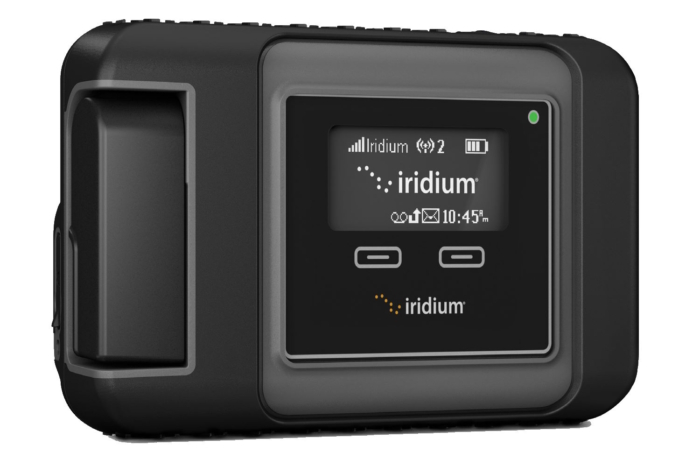
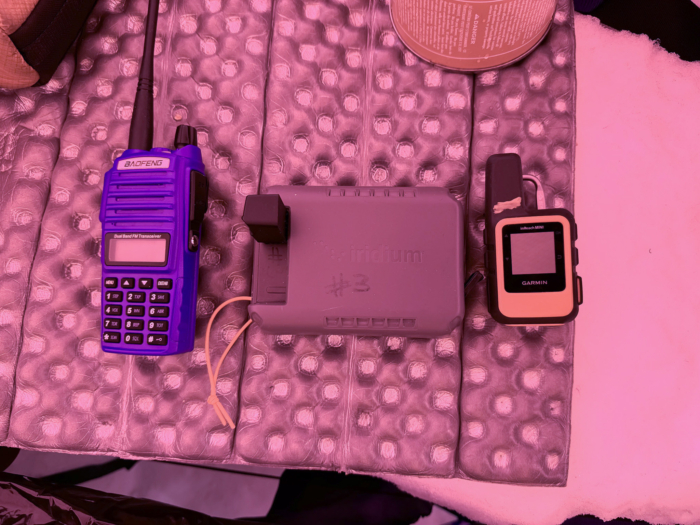
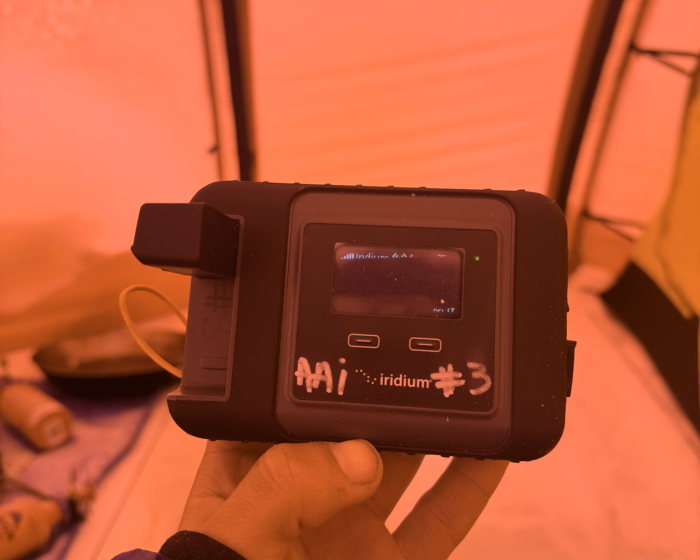
If you’re going so remote that you need to make the occasional voice call or need internet to view a more detailed weather forecast, the Iridium GO! ($855) is the best handheld satellite option out there. It’s a whole lot of tech for most people (and has the price tag to reflect it), but it’s the best all-in-one option I’ve used yet.
Somewhere between a satellite phone and a messenger, the GO! is the device some on our testing team have taken to Denali year after year of guiding. It’s been essential for accessing upcoming weather trends and making audio updates for the folks back home. Full functionality will require you to use your phone, but we’re in full expedition mode whenever we bust out the GO! so it’s no added weight.
Audio quality is about on par with most satellite phones these days (the tech hasn’t evolved much), but it is still adequate and makes getting through a lot of information quickly possible. Mountain guide Eli Spitulnik recorded weekly transmissions on the Iridium and would ballpark audio legibility at around 90%.
This device is the only one in this lineup that will do end-to-end audio calls, and while it may seem like a luxury, there are absolutely times when you need to get a lot of information across in a short amount of time.
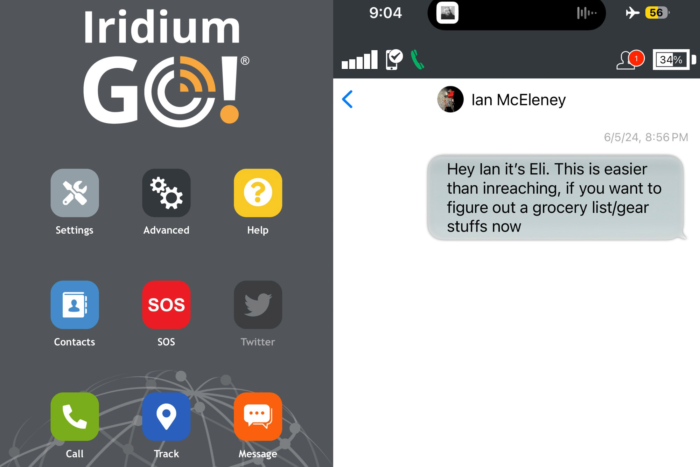
Combined with a phone app, this device leverages the same Iridium network that the inReach and ZOLEO devices use, but you get a much larger messaging ability with the GO — 1,000 characters versus the 160 on the (non-Plus) Garmins or ZOLEO. Texting feels much more conversational, and getting across detailed messages is easy.
You also get the same GPS tracking and SOS capabilities as those devices, meaning weight, bulk, and price are really the only things holding the Iridium back. $937 is a steep price to ask, along with the cheapest monthly subscription plan running you $65 a month (and you’ll pay $0.25 per text on top of that, though only when sending, not receiving), but if you need a device that will do it all, the investment in the GO! can make good sense.
Garmin inReach Messenger Plus
-
-
(Photo/Rachelle Schrute)
-
(Photo/Rachelle Schrute)
-
(Photo/Rachelle Schrute)
Specifications
Pros & Cons
Pros
- Full-spectrum connectivity through text, pictures, and voice
- Extremely long battery life
- Reliable satellite network with worldwide coverage
- IPX7 waterproof device
Cons
- Pricier than predecessor
- Added abilities may detract from wilderness experience
Bottom Line: Next-generation satellite communicator capable of sending photo and voice messages alongside text over Iridium. Ideal for adventurers who want media-rich field communications and emergency backup power to charge a dead smartphone.
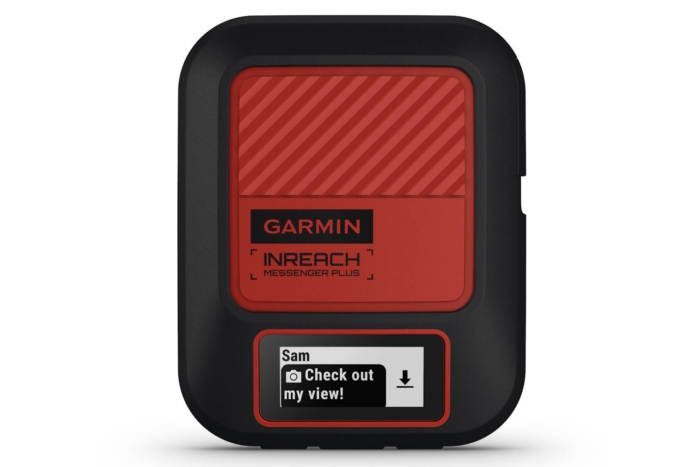
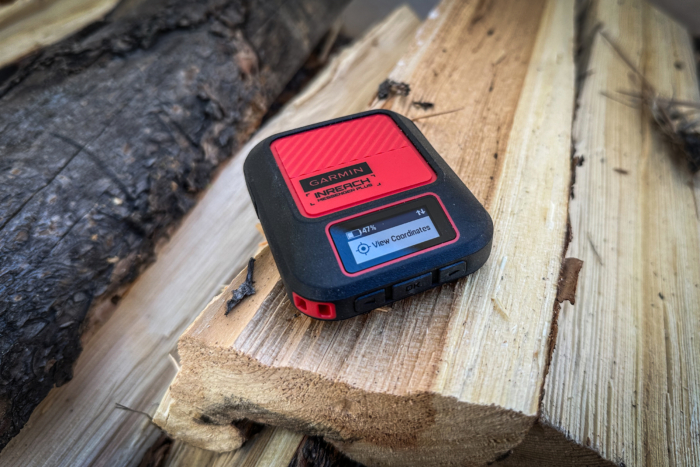
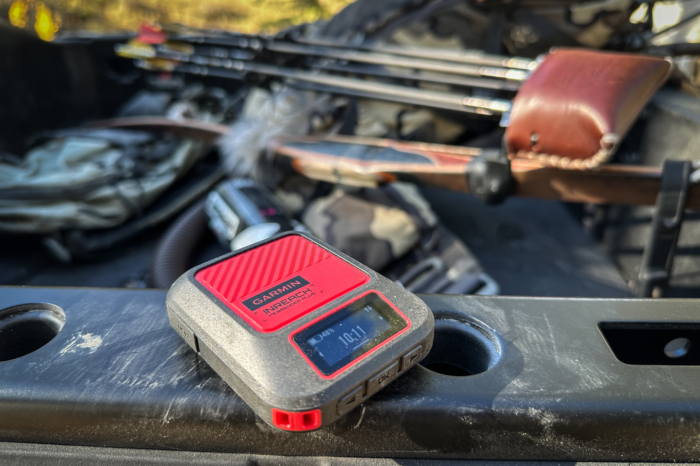
If you’ve got to have the latest and greatest, the new Garmin inReach Messenger Plus ($400) is the answer. This device is the same as the standard Messenger in all but three ways, but they’re a pretty big deal and can make the extra $200 spend make sense for some.
Those three features are voice messages, images, and messaging length, which put the Plus at the head of the table for almost all satellite messengers (save for the messenger/phone Iridium GO!). I’ll note the important distinction here: satellite phones like the Iridium allow for end-to-end voice calling in real time, while the new Plus offers up voice messages, in the same style that many cellphones these days offer.
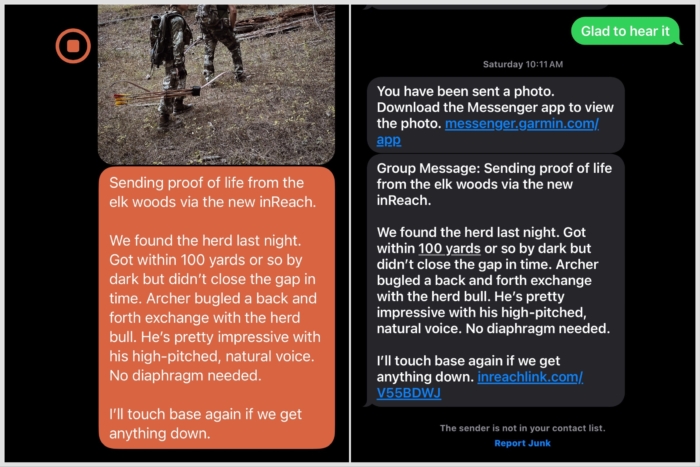
But even that added feature is a treat to use, as Hunt & Fish Editor Rachelle Schrute found while testing the Plus while hunting for elk recently. New allotments for photo and voice messages are now rolled into every Garmin subscription, and both of these abilities add a new dimension to texting your people from the backcountry. Images are modern cellphone quality, and the 30-second audio length is enough to relay a sweet nothing or two.
Take note: While text messages can be sent to any old cell number, your recipient will need the Garmin Messenger app to view the images and listen to the voice messages you send them. This is a bit annoying, and certainly so for folks who don’t otherwise own a Garmin device, but it’s simple enough to download and use.
Like the Iridium GO!, the Messenger Plus also offers expanded text limits, and the 1,600-character messages you can send are even longer than the Iridium will allow. This is currently the longest message you can send on any satellite messenger out right now, so if you tend to wax poetic, you’ve got the space.
$400 is steep for the Messenger Plus, and the extra $100 you’ll spend over the regular Messenger makes this a definite splurge purchase. But we can’t deny it’s exciting to be able to show our friends the high alpine lake we’re sleeping at tonight.
T-Mobile T-Satellite Service
-
-
(Photo/Erika Courtney)
Specifications
Pros & Cons
Pros
- No extra satellite device needed
- Supports RCS messaging protocol
- Connects with 650+ Starlink satellites for service
- Pretty quick message sending and receiving
Cons
- No backup if your phone goes down for any reason
- Using satellite service uses more battery
- Service zones are still limited
Bottom Line: Zero-hardware cellular satellite backup for existing smartphones. Eliminates traditional dead zones for standard texting and SOS using Starlink LEO satellites, making it a hassle-free safety net for everyday backcountry travel.
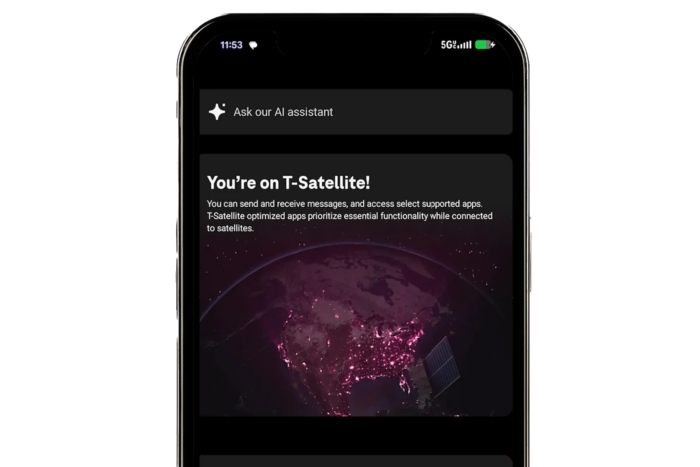
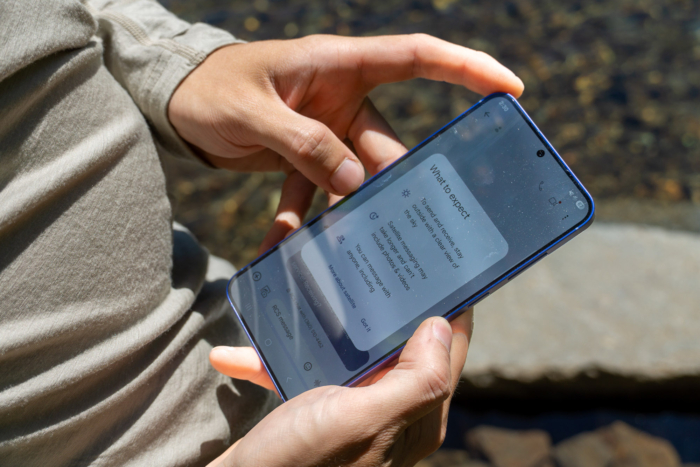
Hot on the tail of Apple’s satellite connectivity, the T-Mobile T-Satellite Starlink Service ($10 per month plan) offers its own cellphone-based satellite messaging that goes beyond emergency contact. The T-Satellite service is still only offered in a beta version, but from what I’ve seen, it’s going to change off-grid communications.
I recently tested the service on a Samsung Galaxy S21, and it’s important to note that you’ll need a newer device that’s capable of receiving the service to use it. Enrolling in the beta service was easy, and once I left cell service, the phone automatically pivoted to the T-Satellite service without needing to toggle anything.
Sending a message is seamless from texting on cell service (though you are currently limited to only texts, no images or voice messages). Recently, from the side of remote Goat Lake in Washington’s North Cascades, I only had to wait a minute or so for the Starlink satellite to ferry my message away.
Reception would come and go in about 3-4–minute intervals, with the service toggling itself on and off. These satellites are specifically different than existing Starlink birds, and the infrastructure is still being solidified. That said, I rarely had to wait for a message to get out.
To my surprise, the T-Satellite service supports RCS (Rich Communication Services) texting, which is a messaging protocol that allows for read receipts and typing indicators. Messaging on all other satellite messengers is a wait-and-see game of not knowing if your message has been seen, so it’s a step forward.
I was even able to get messages to send and receive under tree cover, putting the T-Satellite service on par with Iridium coverage. The service is still limited (for example, I wasn’t able to use it in Alaska this summer), and I wouldn’t give up my inReach for it exclusively, but this technology does promise to move the needle significantly.
Other Satellite Messengers We Trust
The seven messengers I’ve highlighted above are just about the best we’ve used in the backcountry so far. That said, I’ve also used a handful of other devices that have gotten the message out when it counts. Check out our alternate picks below.
Specifications
Pros & Cons
Pros
- Integrated into the phone you already use
- Simple to use and intuitive interface
- Ability to send location pings
- Assists in aiming phone at best satellite signal
Cons
- Globalstar satellite coverage isn't global, and fewer areas are approved for use by Apple
- As an all-in-one device, if you lose it or the battery dies, you're out of luck
Read Review: Apple Satellite Messaging Goes Live: Here’s How the iPhone 14’s Off-Grid Service Works
Bottom Line: Built-in satellite safety net for modern iPhones (iPhone 14 and newer). Offers free two-way texting, roadside assistance, and Emergency SOS on iOS without carrying an extra device, though battery drain and lack of automated tracking make dedicated messengers better for multi-day trips.
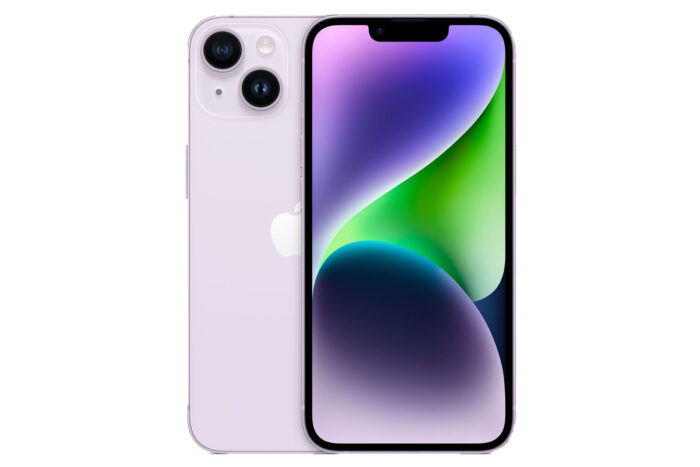
Welcome, friends: The future is now. The Apple iPhone Satellite Messaging functionality on iPhones is certainly the first step, at least, and adds satellite messaging directly to your mobile — no extra device required. Adding the ability doesn’t seem to have been difficult for Apple, and while there are questions about eventual subscription rates, initial testing has been great.
Tapping into the Globalstar satellite network that SPOT devices utilize, iPhone users can now text others and access emergency services when they are outside of normal cellular service. In typical Apple fashion, this is a seamless integration with the iPhone, and with the added processing power of a cellphone, Apple has also integrated an ‘aiming’ functionality into the satellite service, directing you to the best signal for sending messages.
Now that this service has expanded beyond its initial SOS-only service, I’ve had ample time to test it in the field, and the results are good. Messages are delivered at similar times to commercial messengers, and the addition of satellite connectivity also means that users can use the Find My app to share their GPS location with others — a sort of “check-in” message that won’t carry any text, but can alert others to your progress along a route.
Those considering the service should know that while Apple has made it free for an additional year (on top of the first free year since they rolled out the tech), there almost certainly will be a price tag for using the service eventually. While I can’t imagine this being more than $20-30 per month, its value will come down to whether or not additional satellite messaging services are added or not.
So why don’t we recommend everyone just buy iPhones? For one, the choice of Globalstar as a satellite network is a little disappointing (I imagine Iridium wasn’t interested in being integrated), as its coverage isn’t totally global. The new T-Satellite service from T-Mobile offers significantly improved coverage, leveraging over 650 satellites to achieve this.
Second, one of the big ideas behind a dedicated satellite messenger is that it only does one thing, and if you lose or run out of battery on your phone, there’s no other option.
Still, the prospect of (mostly) worldwide connection is exciting, and if you’re up for a cellphone upgrade anyway, Apple iPhones’ satellite messaging ability could be a big reason to make the switch.
Specifications
Pros & Cons
Pros
- Simple to operate
- Minimal size and weight
- Inexpensive price and subscription plans
- Powered by easy-to-obtain AAA batteries
Cons
- Lack of functionality
- No two-way messaging, only preset messages
- Not rechargeable
Read Review: SPOT Gen4 Review: Better Maps, More Messages, and Auto-Send
Bottom Line: Dead-simple, budget-friendly one-way tracker. Provides automated GPS tracking points and pre-configured check-in messages at a low cost, but lacks custom two-way messaging.
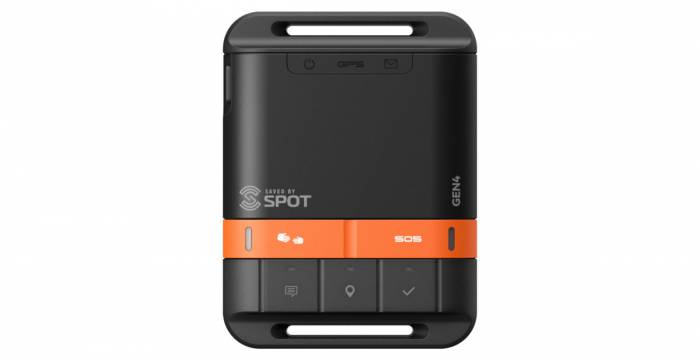
In the modern world of satellite messengers, the SPOT Gen4 ($150) doesn’t quite sit at the head of the table — but that doesn’t mean it doesn’t fill an important spot in the market for folks searching for something akin to a backup messaging option.
The Gen4 has no custom on-device or in-app messaging, and there’s very little in the way of features beyond the SOS signaling, pre-set message sending, and GPS location sends. But for the pre-planner, or just as a purely emergency device, the Gen4 fulfills its duty well.
When it comes to messaging, you’ve got three options with this device: Pre-programmed, an SOS call, and the clever option for a spot assist if you don’t need emergency services, but you do need to let loved ones know things aren’t going well. In my mind, this makes the Gen4 ideal for riding in the glovebox for emergencies.
I will note that all message recipients must be established pre-trip, as there’s no way to reconfigure the device when away from a computer, and there’s no way for the SPOT Gen4 to receive messages.
In testing out the messaging system of the SPOT Gen4, it appeared to struggle the most to find a signal (not wildly uncommon in satellite communications). The Gen4 does offer green LED lights to let you know you have a satellite connection and red lights to let you know you’re not connected, an added benefit from a budget option.
The SPOT Gen4 is a slimmed-down, bare-bones version of a satellite messenger, and for most folks, I recommend getting the ZOLEO Satellite Communicator, which allows you to custom-type messages through its own app. The Iridium network it uses is also more robust. But if you just need the SOS button, the Gen4 is cheap to get and cheaper to maintain a plan for.
Specifications
Pros & Cons
Pros
- Lightweight and easily stowable
- Ample app functionality
- USB-C charging
- GroupTrack ability allows for group messaging
Cons
- Limited battery life
- No on-device messaging ability
- Our device stopped charging after 1 year of use
Bottom Line: Flexible, credit-based communicator for app-centric users. Leverages the Iridium network with a simple month-to-month subscription structure and zero pause fees after four months.
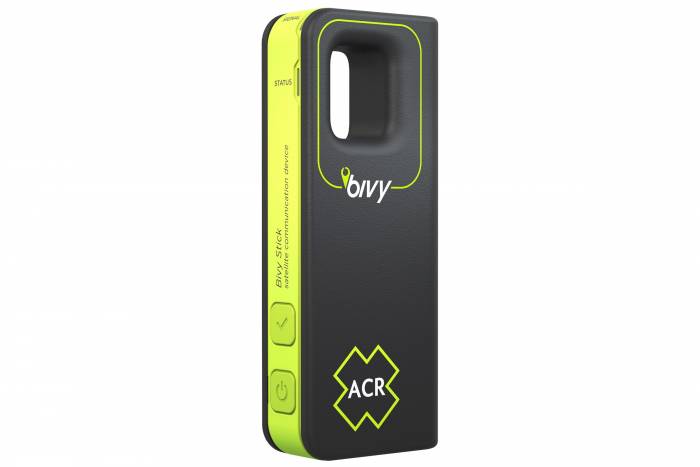
The ACR Bivy Stick ($200) takes a slightly different approach and relies heavily on its well-performing app for the bulk of its functionality. This makes the Bivy Stick ideal for the adventurer wanting basic on-device functionality while willing to rely on the smartphone app for all the fun extras.
The Bivy’s on-device functionality is basic, with an SOS button tucked under a rubberized flap — ACR uses Global Rescue for its emergency services — a USB-C charging port, and a pre-set “okay” button.
The functionality really steps up with the Bluetooth-connected app. In the app, you can compose and receive messages, both email and text, while adding your location to your communication. I will note that, like ZOLEO, the Bivy Stick will send and receive on the Iridium network, as well as cellular or Wi-Fi coverage.
Quick-touch options in the app also perform message alerts, SOS calls, and more. The app offers a map view so you can track your current location and progress (or see routes) and other options let you see your data usage, track adventures, check the weather, and — for an additional subscription price — create group messages.
Two LED lights give you info on the signal strength and status of a message, which is a nice function that some others don’t have. The signal lights go from green to yellow to red to let you know strength, while the status light lets you know if you’re sending or receiving a message, if SOS is active, and if you’re successfully tracking your progress.
I admit these are nice touches when figuring out signal strength, and if a message was sent. Bivy uses the Iridium satellite network and offers a dedicated phone number and email for satellite messaging, another feature common with ZOLEO, but not yet offered by Garmin.
Unfortunately, I found that after a few seasons of use, our Bivy Stick would no longer take charge. I’m not sure exactly what the issue is, but there doesn’t seem to be any fixing it. While this certainly might be a fluke, it’s not the type of thing you want to have happen to your emergency device. For most folks, the equally priced Garmin inReach Messenger is likely a better buy — even for the small screen alone.
-
-
(Photo/Nick Belcaster)
-
(Photo/Sean McCoy)
-
(Photo/Sean McCoy)
Specifications
Pros & Cons
Pros
- Familiar QWERTY on-screen message composition
- Ability to compose messages on or off the device
- In-device navigation capable
- Competitive subscription plans with plenty of custom messages included
Cons
- Bulky size
- Globalstar network isn't the most robust (little coverage in polar regions)
- Micro-USB charging instead of modern USB-C
Read Review: First Look: SPOT X 2-Way Satellite Messenger
Bottom Line: Standalone two-way messenger with a physical QWERTY keyboard. Allows fast typing directly on the device without needing a phone, operating on Globalstar’s network with lower monthly fees, though limited in extreme polar or deep oceanic regions.
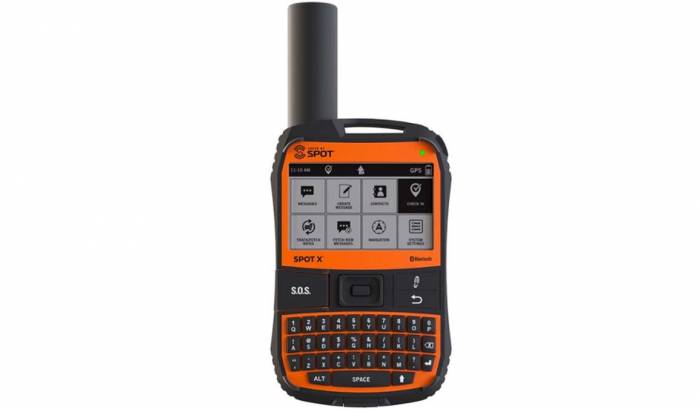
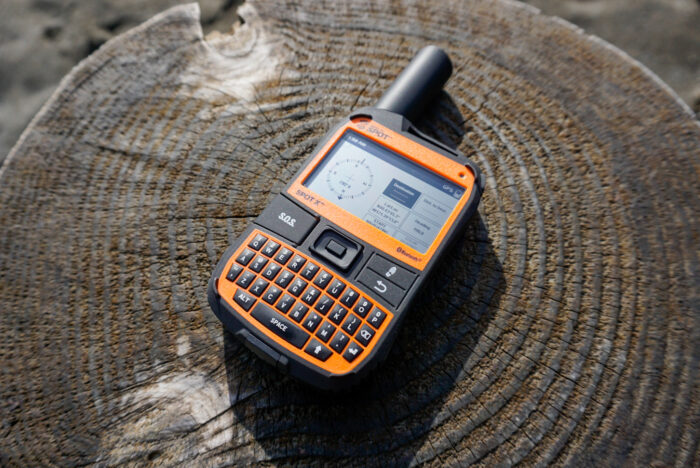
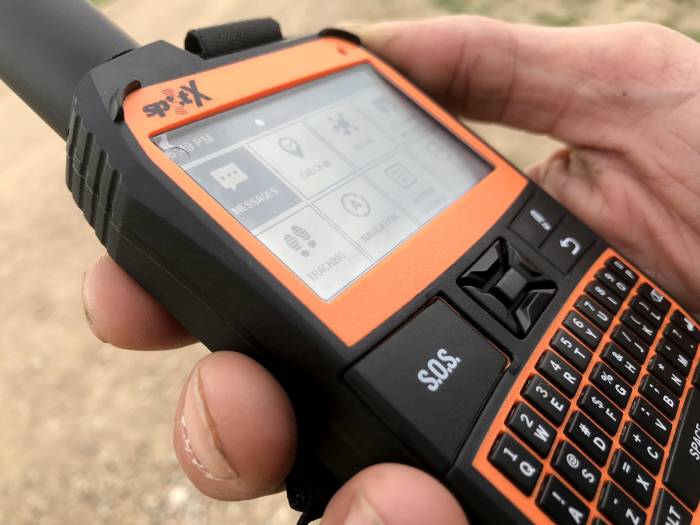
Think BlackBerry with a satellite connection — that’s what comes to mind when first working with the SPOT X Satellite Messenger ($250). Ideal for the adventurer who doesn’t want to be tied to a smartphone in any way, this device gets the job done all on its own.
The illuminated QWERTY keyboard is the real star of the show here and makes the SPOT X an effective on-device message composer — a real bonus for communication in the wild when you don’t want to pull out a smartphone. The device even incorporates predictive text technology to allow you to breeze through longer messages.
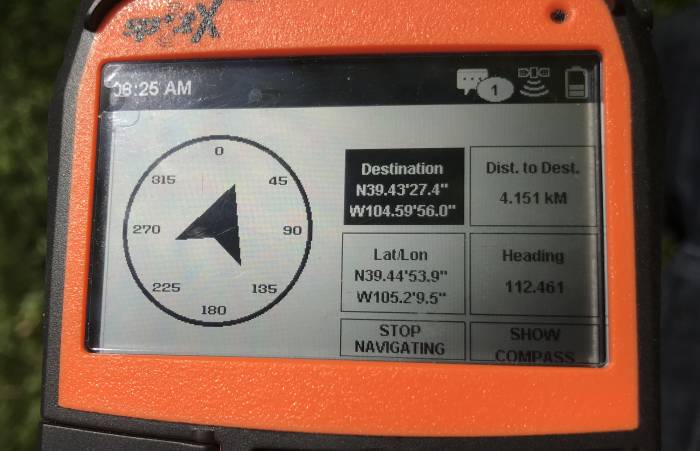
Along with the SOS and wayfinding, it is the two-way communication that makes the SPOT X stand out. And while it was originally only offered without it, you can now decide if you want to use the associated smartphone app for sending and receiving messages, or keep the smartphone stowed and send and receive only on the device, which we found was actually pretty easy to do.
Unfortunately, the SPOT Globalstar network is one of the slower satellite options we investigated, and there’s certainly a need to find a clear path to the sky for the SPOT X. When you get that, though, it can speed up your communication. Global coverage is also not quite global, with high polar latitudes lacking connection.
I also had a few grumbles with getting the SPOT X set up, as firmware updates require a cable and computer to accomplish. But once those hoops are navigated, the device is a fairly straightforward piece of kit to operate. The SPOT X puts on-device functionality front and center. If that’s important for you — and you’re okay with the added heft of the device — give this option a spin.
Specifications
Pros & Cons
Pros
- Budget price
- Minuscule profile and weight
- Tough exterior with drop, shock, and water resistance ratings
Cons
- SOS button isn't protected
- No global satellite coverage
- Need to download an app to compose and respond to messages
- Subscription prices have risen significantly
Bottom Line: A compact Bluetooth dongle using geostationary (GEO) satellites that adds SOS and basic texting to any smartphone, best suited for budget hikers in temperate zones with clear equatorial views.
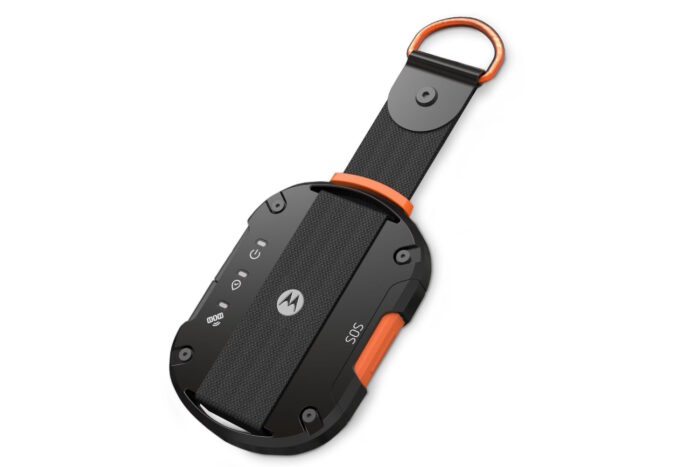
The Motorola Defy Satellite Link ($150) is an exciting addition to satellite messenger offerings and takes the tack that I see many other sat messengers doing today — poising itself as a sort of satellite hotspot that’s meant to be tethered to your phone (as most of us are these days).
The tradeoff here is that if your mobile takes the dive for any reason, you lose the advanced messaging abilities and are stuck with a simple “check-in” message sent to a pre-chosen contact. But being offered right out of the gate with some of the cheapest subscription plans of any satellite messenger, the Defy makes a compelling case for those who need a simple get-it-done device.
So why hasn’t the Defy knocked the ZOLEO out of the Best Budget spot? Well, there are some kinks to work out. But first the good: At $150, the Defy is available for just about the bottom dollar when it comes to satellite messengers today — only the SPOT Gen4 and ZOLEO are the same price.
The device itself is also in a league of its own when it comes to overall size and shape, weighing in at only 2.5 ounces and easily nesting into your palm (the SPOT Gen4 is thicker, the Bivy Stick is taller, and both are heavier). The Defy is also the first to use the Inmarsat and Echostar satellite networks in a satellite messenger, having previously only hosted voice-only sat phones.
In practice, however, these systems aren’t ideal for many users, as they as geostationary and located over the equator, which means you’ll need to be aimed at them to receive signal. In practice testing in the northern hemisphere, I found that any large mountains to south would kill my reception.
The SOS button, in a rather head-scratching move, is located on the side of the device and unshielded from erroneous pressing. Every other device on the market today opts for some type of cover to prevent accidental calvary-calling, and its omission here was a bit worrisome in my testing. Hopefully, this will gain a cover in later iterations.
While Defy positioned itself as the cheapest subscription option when entering the U.S. market, it has raised its prices and isn’t as good a value anymore. If you’re using the Monthly plan, you’ll actually be in an annual contract with a cancellation fee equal to what you owe for the rest of the contract, so I only recommend going with the Annual plan.
Satellite Messenger Comparison Chart
| Compare |
|
|
|
|
|
|
|
|
|
|
|
|
|---|---|---|---|---|---|---|---|---|---|---|---|---|
| Price |
$300
|
$149
|
$500
|
$600
|
$855
|
$400
|
$10/month plan
|
N/A
|
$150
|
$200
|
$250
|
$150
|
| Battery Life |
28 days
|
200 hours
|
Up to 330 hours in 10-minute tracking mode
|
180 hrs. in standard mode; 840 hrs. in expedition mode
|
5.5-hour talk, 15.5-hour standby
|
25 days
|
Phone dependent
|
Varies with phone use
|
7 days to 156 days (dependent on tracking)
|
120 hours
|
240 hours in 10-minute tracking mode
|
96 hours
|
| Message Composition |
On-device options/in-app
|
In-app composition
|
On-device options and app
|
On-device options and app
|
In-app only
|
On-device options/in-app
|
On-device options/in-app
|
On-device composition
|
Pre-set messages only
|
In-app composition
|
On-device composition
|
In-app composition
|
| Weight |
4 oz.
|
5.3 oz.
|
4.5 oz.
|
8.1 oz.
|
10.7 oz.
|
4.1 oz.
|
Phone dependent
|
N/A
|
5 oz.
|
3.3 oz.
|
7 oz.
|
2.5 oz.
|
| Water Resistance |
IPX7
|
IP68
|
IP67
|
IPX7
|
IP65
|
IPX7
|
Phone dependent
|
N/A
|
IPX8
|
IPX7
|
IP67
|
IP68
|
| Satellite System |
Iridium
|
Iridium
|
Iridium
|
Iridium
|
Iridium
|
Iridium
|
SpaceX Starlink Direct to Cell system
|
Globalstar
|
Globalstar
|
Iridium
|
Globalstar
|
Inmarsat and Echostar
|
| Subscription Plan |
$15 /month
|
$20 / month
|
$15 /month
|
$15 /month
|
$65 /month
|
$15 /month
|
$10 /month
|
Free (for now)
|
$12 /month
|
$15 /month
|
$12 /month
|
$20 /month
|


How We Tested the Best Satellite Messengers
At GearJunkie, we view satellite messengers not as gadgets, but as essential life-safety equipment. Our testing team — composed of wilderness first responders, professional mountain guides, and high-altitude explorers — has a simple rule: if we wouldn’t trust a device to call for a rescue for our own families, it doesn’t make this list.
Our Field Methods
We move beyond the trailhead to put these devices through the same trials and tribulations our readers face. Our insights are drawn from months of active deployment in high-consequence environments:
- Topographical Challenges: We specifically seek out satellite shadows (deep slot canyons, narrow couloirs, and the green tunnels of the Pacific Northwest) to test how aggressively a device can punch a signal through to the Iridium or Globalstar networks.
- Multi-Sport Deployment: Our team carries these units while whitewater packrafting to test water resistance and mounting security, as well as during winter alpine ascents to evaluate how cold temperatures affect battery chemistry and glove-friendly operation.
- SOS Coordination Tests: When feasible, we coordinate with service providers to conduct scheduled SOS interface tests. This allows us to evaluate the human element of the emergency response, ensuring the two-way communication flow is intuitive when stress levels are high.
The Technical Benchmarks
To ensure an apples-to-apples comparison, we conduct standardized benchmarking:
- Transmission Speed Challenge: We test devices head-to-head, timing exactly how long it takes to send and receive a 160-character message under identical sky conditions. For Plus models, we also benchmark the time required to transmit high-resolution photos and 30-second voice memos.
- Device Weight-In: We don’t take manufacturer specs at face value. Every unit is placed on our digital shop scales to verify trail weight (including carabiners and mounts), ensuring your ultralight kit stays truly ultralight.
- Power Audits: We measure charge and discharge rates in-house. We track battery drain in Active Tracking (10-minute intervals) versus Power Save modes to provide a realistic expectation of how many days of life you’ll actually get on a thru-hike.
Our Satellite Messenger Rating System
We use a 100-point weighted scale to determine our rankings, prioritizing the fail-safe nature of the device over aesthetic frills.
- Messaging Reliability (30% weighted): This is the most critical metric. We evaluate the robustness of the satellite network used (e.g., Iridium’s global reach vs. others) and the speed of the connection. We also heavily weigh the app ecosystem, and if the Bluetooth pairing is finicky or if the app crashes during message drafting, the score drops.
- Emergency Feature Set (30% weighted): We look for dedicated, protected SOS buttons that prevent accidental triggers while remaining accessible in a crisis. We also award points for added utility that enhances safety, such as high-decibel emergency sirens, integrated flashlights, and reliable off-grid weather forecasting.
- Battery Longevity (20% weighted): A dead messenger is a heavy rock. We look for units that can sustain at least 10 days of basic tracking. For the newer generation of messengers, we also evaluate the ability of the device to give a dead smartphone enough juice to send one final, critical text.
- Backcountry Durability (20% weighted): We evaluate the impact resistance of the housing and the scratch resistance of the screens. We check if buttons remain tactile when clogged with grit or mud and ensure that the charging ports (now predominantly USB-C) are well-sealed against the elements.

Our Testing Experts & Testing Locations
I, Senior Editor Nick Belcaster, contributed heavily to this guide, leveraging my experience as a wilderness guide in the North Cascades of Washington State and extensive time spent clacking out “I’m OK” messages from the backcountry. I’ve used satellite messengers to get updates on closing-in wildfires, arrange for supply drops, and assist in extracting injured clients.
Assisting me is a team of AMGA mountain guides, ice climbers, trail runners, and many other GearJunkie athletes who use sat messengers daily to keep in contact from afar. Tim Newcomb is a veteran gear tester who also calls the Pacific Northwest home and assisted heavily in getting out with these devices to test real-world messaging capabilities.
Bringing a deep-country perspective to our testing is GearJunkie’s Hunt & Fish Editor, Rachelle Schrute. As a certified Wilderness First Responder and veteran backcountry guide in Yellowstone National Park, Schrute’s extensive experience tracking game and navigating terrain across the rugged expanses of Montana ensured these devices were thoroughly vetted for reliable, multi-day deployment in the most isolated pockets of the West.
All devices detailed in our selection were tested over multiple months by multiple gear experts and in varying conditions throughout the Pacific Northwest and Southwest. Whether hiking, biking, climbing, ski-touring, or simply putting the devices through their paces, the satellite messengers underwent a mixture of experiences to test them in real-life use cases.

Buyer’s Guide: How to Choose a Satellite Messenger
Every satellite messenger has a mixture of different functions and designs. Users may find that some fit their expected adventures better than others, so it isn’t always a one-size-fits-all approach to selecting the best satellite messenger.
Before you dive into a satellite messenger, carefully review its features and functionality to determine what you think you’ll need for how you expect to use the device. You also should keep in mind that the cost of ownership of a satellite messenger is more than the initial purchase price.
While you can get a device for as little as $150 and spend up to $400, each one requires a subscription service to allow it to connect to satellites for communication, even emergency communication.
Once you’ve narrowed down your top satellite messenger selections, I suggest looking over the company’s subscription plans to see what’s included in the differing options. Features you may find essential may come at a steeper per-month price than you want to pay.

Emergency Support & Messaging
Know that a satellite messenger’s main goal is to provide emergency support when needed — every messenger comes with an on-device SOS button, but they also can help keep you connected to friends and family in non-emergency situations when cellular coverage is not possible.
You likely won’t use your satellite messenger as you would a smartphone — and if you don’t expect to, you can select something such as the ZOLEO or SPOT Gen4 — but understanding the capabilities of your device can help with expectations. For example, messages sent via satellite may well take up to 20 minutes to send, even in ideal situations with the best on-device communicators, the Garmin inReach Mini 3 Plus and SPOT X.
Deciding which device to go with will depend upon your needs, as well as how often you plan to use it. Below, I dive into the three main types of satellite messengers: SOS beacons, app-assisted communicators, and all-in-one devices.

Differing Styles
There are three main styles of satellite messenger, although overlap does exist. The most basic offers a simple SOS function and pre-set messages, all sent from the device without tethering to a phone, such as the SPOT Gen4. These devices are best thought of as a ‘set it and forget it’ option, and you’ll be limited to sending messages that you’ve pre-written at home.
It’s important to note that communication is one-way, which makes these devices most similar to personal locator beacons (PLBs) — which combine a satellite SOS function with a 406 MHz tone for rescuers to hone in on.
The next type offers these same functions but then includes an app — think ZOLEO, Motorola Defy, and Bivy Stick — that connects via Bluetooth to a smartphone for additional two-way messaging and functionality. This is a great step up in terms of functionality, in our opinion, and being able to craft custom messages has often gotten us out of a jam when outdoors, like changing itineraries or rendezvous points.
The third style includes the aforementioned features, but then also offers on-device functionality, from message composition to weather forecasting, as seen in the Garmin inReach Messenger, Garmin inReach Mini 3 Plus, and SPOT X.
These messengers are best for folks who want it all, or want the ability to leave their phone at home. Because they operate independently of a separate device, these messengers also have the most built-in safety of the bunch.

What About Satellite-Enabled Cellphones?
Apple iPhone
For a few years now, Apple has offered a satellite-assisted SOS functionality on iPhones, and recently unlocked the functionality further to allow for messaging abilities. These messages are limited in similar ways to the types of messages you can send on most satellite messengers (no images or video), and other than taking a little longer to send, the functionality is similar to texting on the device. I expect voice connectivity will come sometime later this year.
Apple uses Globalstar satellites to support its service, and we expect the same far-latitude limitations that the satellite installation has currently. That still covers a large swath of the populated world, however. The service is free for now, but it isn’t clear if it will always be that way (Apple previously offered its SOS functionality for free for two years, then extended it another year).
Starlink & T-Mobile
In early 2025, T-Mobile unlocked a beta version of its T-Satellite service, a Starlink-powered satellite connection that would integrate messages in much the same way the iPhone is offered — an endeavor that’s been a few years in the making. Initially, text messaging was the only option, but a suite of satellite-optimized apps has now been approved for use, including AllTrails, WhatsApp, and Google Maps.
Starlink has already made a compact version of its satellite receiver for mobile use, and the service is well-proven at this point. We’re interested to see how quickly other service providers jump onto the satellite bandwagon. It may only be a few years until most people have satellite connectivity in their pockets.

Satellite Messenger Networks
First, it’s important to make a distinction between the two types of satellite systems that a satellite messenger will depend on. Global Navigation Satellite Systems, or GNSS, are satellite networks that provide location and speed information to devices like handheld GPS units. The most well-known of these is the GPS system, which is managed by the U.S. government, though other international systems exist.
Satellite messaging systems, like Iridium and Globalstar, provide communications information between the transmitter and receiver, and both services feature low earth orbit satellites covering much of the Earth. In fact, the polar orbit of Iridium satellites allows it to cover even the poles, while Globalstar has points on Earth it doesn’t reach. Because of this, Iridium devices will be the best choice for those traveling to polar regions.
Other satellite networks, such as Inmarsat, orbit the planet in a geostationary pattern, with 15 satellites that are located along the equator. Because these satellites track the orbit of the Earth, they remain in the same place. This means that coverage is best between the 60-degree latitudes and that you may occasionally lose connection in deep valleys where your line of sight is obscured.

Iridium has more satellites (66) than Globalstar, but Globalstar sends them higher to provide additional coverage. Another key difference is Globalstar relays with Earth-based transmission stations, which can cause a greater delay in messaging than the satellite-to-satellite relays from Iridium. No matter which device you choose, check the coverage areas of its satellite provider to ensure it covers your planned adventures.
When you send a message, your device will queue it up for the next time that it is in contact with the satellite network. While these systems offer broad coverage, it may take a few minutes for a satellite to pass overhead and into view of the satellite messenger. Finding a clearing or promontory can greatly improve your reception.
| Network | Satellite Orbit & Altitude | Coverage | Performance & Line-of-Sight | Compatible Messengers |
| Iridium | LEO (Low Earth Orbit) ~780 km altitude | 100% Global Full pole-to-pole and open ocean coverage | High: Cross-linked constellation allows transmission even through dense canopies or deep canyons. | Garmin inReach, ZOLEO, ACR Bivy Stick |
| Globalstar | LEO (Low Earth Orbit) ~1,413 km altitude | Regional Strong across Americas, Europe, and Australia; weak/absent in polar areas and open oceans | Moderate: Relies on direct relays to ground stations; requires clear overhead sky for reliable delivery. | SPOT Gen4, SPOT X |
| Skylo / GEO (NB-IoT) | GEO (Geostationary Orbit) ~35,786 km altitude | Continental Broad coverage up to ~70° N/S; excludes Arctic and Antarctic polar regions | Variable: Satellites remain in fixed orbital positions; requires an unobstructed line-of-sight toward the equator. | Motorola Defy Satellite Link |

Emergency Coordination
For obvious reasons, I didn’t live-fire test the response time of emergency responders. But every satellite messenger comes with an SOS button that summons emergency help. Each company contracts with a service provider to coordinate a response, and while we don’t have data from every one, we do know that those buttons do get pushed a good bit: Garmin recently fielded its 10,000th inReach SOS call.
Many satellite messengers also allow you to test their SOS service to ensure that it is operating as normal. On Garmin devices, you’ll need to schedule an SOS Assistance Test, which provides a time slot for you to test the service. On SPOT devices, you’ll need to enable the SOS Test Mode in your online account before attempting.
Once your message goes out, it’s relayed to an emergency coordination center. Garmin recently purchased GEOS, now owning one of the leading emergency operations. ZOLEO contracts with GEOS. ACR’s Bivy uses Global Rescue and SPOT contracts with FocusPoint International. All of these services are on the other end when you trigger an emergency call.

What Happens When You Trigger an SOS?
When you make the call to trigger an SOS, you’ll need to uncover and depress the SOS button to summon help. This will send a message to the emergency service provider that you have contracted with through your subscription. It’s important to know that without a current subscription, SOS service does not work.
On Garmin devices, these SOS messages are given a higher priority in the Iridium satellite system to ensure that they get to where they need to go. No matter the service, the functionality is similar, with the company working with local search and rescue teams to coordinate a response to your SOS call.
Some devices, like the Garmin inReach Messenger, SPOT X, and ZOLEO Satellite Messenger, allow you to send custom SOS messages to the emergency response service. This can be incredibly helpful when coordinating a rescue, and often an emergency coordinator will put you in contact with the local Search and Rescue (SAR) to better assist you. Response times can vary from a few hours to a few days, depending entirely on terrain, weather, and resources.
It’s important to note that some simpler devices, like the SPOT Gen4, will only display an LED light to confirm that an SOS message has been sent, and not necessarily received. This has caused some to panic during an emergency and opt to send multiple SOS messages — ultimately delaying their rescue.

Messaging, Weather Updates, & Tracking
Thankfully, the majority of us will never need to hit that SOS button, instead relying on our satellite messengers to communicate with others, seek out weather updates, and track ourselves on excursions. Most devices offer two-way messaging, with the exception of the SPOT Gen4, meaning you’ll be able to both create and receive messages from abroad.
A 160-character limit is typical of most SMS and email messages sent from satellite messengers, with slight variation from provider to provider. These messages can also be appended with your GPS location, giving those on the outside some peace of mind knowing where you are.
Types of Messages
Messages fall into one of two categories: Preset, Predefined, or Check-In messages, and Custom messages. Messages in the Preset category are those that are arranged before setting out on our trip, and typically relay messages such as “I’m Okay,” “I’m Starting My Trip Here,” or “I Made It to Camp.” These messages are very often unlimited and don’t count against your subscription allotments.
Custom messages are those that are created on the fly, and can either be produced on-device or through an accompanying app. These messages are not limited to who they can be sent to, but they will count against your subscription if you have a messaging limit. Don’t fear if you go over, however, all providers will spot you extra messages, at a typical 25-50-cent rate per message.

Weather Forecasts
Certain satellite messengers, like the Garmin and ZOLEO devices, also utilize their satellite connections to deliver weather forecasts directly to your messenger. These forecasts will display the high/low temperature, conditions, wind speed and direction, and precipitation chance of either the location you are currently in or a location of your choosing.
Garmin devices also offer an extended forecasting option (at $1 per), which bumps out the forecast window from 4 to 8 days, and offers a finer interval of forecast reporting. There is also the option to request a marine forecast, which includes information on wave height, currents, and visibility.
Tracking
Tracking your progress can be a handy tool for both yourself, as well as those following along at home. This tracking is most often broken down into different intervals, allowing you to adjust the frequency at which a location is recorded. SPOT devices provide tracking at all levels of subscription, whereas Garmin offers it unlimited at the mid-tier subscription rate, and ZOLEO offers it as a ‘Location Share+’ add-on for $6 /month extra.
When it comes to the pay-to-track crowd, we will note that the Bivy Stick is a particularly poor deal when it comes to tracking: A monthly basic plan allows 20 credits, which are shared between messages and tracking, and can quickly be chewed up at one credit per 30 minutes at the 5-minute tracking interval. You can pare down your tracking interval to once every hour, but functionally, I find this to be too coarse for accurate tracking.

Applications
I can’t go too far without needing an app for that these days, and it’s the same in the world of satellite messengers. A few of the key devices tested, such as the ZOLEO and Bivy, require you to connect via Bluetooth to your smartphone to use the app for custom messaging, and most of the functionality (really, anything other than the SOS or “OK” message).
Garmin, while allowing for on-device messaging on both the inReach Messenger and inReach Mini 3 Plus, has a strong app that makes messaging much simpler than on the device. We’ll note that even some Garmin smartwatches integrate with the devices for easy wrist-triggered SOS messages.
The SPOT X doesn’t rely as much on an app, but it is there for additional functions. And it works just swell. The SPOT Gen4 is the only device we tested that doesn’t tie into an app for its in-field functionality.

Satellite Messenger Subscription Plans
Beyond your one-time purchase price, you’ll also need to select a subscription service to render the device useful. Typically offered as monthly plans, you can select how many messages you can use, how much tracking you can do, and so forth. Carefully look through service plan options before you buy so you don’t get stuck with a device you don’t want to pay to keep active.
| Messenger | Network | Entry Tier | Mid Tier | Top/Unlimited Tier | Suspension Flexibility |
| Garmin inReach | Iridium | $15/mo (10 msgs) | $35/mo (40 msgs) | $65/mo (Unlimited) | Freedom plans pause for $4/mo; annual contracts discount rates. |
| ZOLEO | Iridium | $20/mo (25 msgs) | $35/mo (250 msgs) | $50/mo (Unlimited) | $4/mo suspend fee after a 3-month initial contract. |
| SPOT (Gen4 / X) | Globalstar | $12–$15/mo | $20–$25/mo | $30–$40/mo | $25/yr Flex fee allows seasonal month-to-month pauses. |
| ACR Bivy Stick | Iridium | $20/mo (20 credits) | $35/mo (75 credits) | $60/mo (Unlimited) | Free monthly suspension after an initial 4-month period. |
| Motorola Defy | GEO / Skylo | $5/mo (30 msgs) | $10/mo (80 msgs) | $30/mo (300 msgs) | Continuous monthly or discounted annual plans; no pause fee. |

Size, Weight, & Batteries
While most satellite messengers are compact, some do come lighter and smaller than others (here’s looking at you, inReach Mini 3 Plus and Bivy Stick). And that may be great in certain situations. If you’re lugging tons of equipment with you, a few ounces or an inch or two in size may not matter, and you can embrace the SPOT X, but if you want something you can carry in your hand while you run or clip to a small pack while you bike, for example, these specifications will hold extra importance.
Another specification to watch is battery life, especially if you plan on long adventures or already have a set routine for charging devices (will micro-USB or USB-C require you to bring an extra cord?) while on an adventure. Most satellite messengers aim to provide extended battery life for long trips into the backcountry, but it’s important to remember that this battery life can be limited by the number of messages sent, tracking intervals, and active screen time.
Almost all sat messengers today, with the exception of the SPOT Gen4, sport an integrated rechargeable battery that can be juiced up in the field from a solar panel or power bank. Some, like the Garmin inReach Messenger, even offer reverse USB-C charging that can perk up your other electronics if needed.

Durability
All the messengers we tested, except for SPOT-branded devices, use the trusted Iridium satellite system for reliable coverage, so we don’t expect issues there.
Then there’s the durability of the device itself. Each device has undergone testing to earn an international IP number. Both the Garmin devices nor the Bivy Stick were tested against dust and earned a 7 for water (an IPX7 rating represents this), which allows for water immersion protection up to three feet for 30 minutes.
The SPOT X earned an IP67 rating, which offers complete dust protection with the same level of water protection.
The SPOT Gen4 and ZOLEO devices are rated at IP68, complete dust protection with water immersion protection for long periods of time under pressure, the most durable of the devices tested.
Understand how you plan to use your satellite messenger and then choose a device that fits your personal needs.
| Durability Category | IP Rating | Devices Included | Dust Rating (1st Digit) | Water Rating (2nd Digit) | Best For |
| Extreme Environment Sealing | IP68 | SPOT Gen4, ZOLEO | 6: Fully dust-tight against fine sand, dirt, and mud | 8: Continuous immersion under pressure (>3 ft) | Whitewater, packrafting, and extreme wet exposure |
| Dustproof & Submersible | IP67 | SPOT X | 6: Fully dust-tight against fine sand, dirt, and mud | 7: Immersion up to 3 ft (1 m) for 30 minutes | Desert trekking, dry alpine scree, and dusty off-road trail use |
| Standard Water-Resistant | IPX7 | Garmin inReach (Mini 2, Messenger, GPSMAP), ACR Bivy Stick | X: Untested (no formal lab certification for dust) | 7: Immersion up to 3 ft (1 m) for 30 minutes | Alpine hiking, ski touring, and general stream crossings |

Price & Value
There’s a pretty broad range of satellite messenger prices out there, with budget-friendly devices asking $150 to all-in-one units $600 units that’ll be your GPS, messenger, and even flashlight.
Because everyone has different aspirations outdoors (and needs), consider how you’ll be using your satellite messenger, how frequently, and if custom messaging is important for you. It’s one thing to send a quick ‘I’m OK!’ message on a backpacking trip, and another to coordinate a high-alpine rescue in Nepal.
Budget
The budget satellite messengers prioritize the essentials, with the emergency SOS function being the number one. These units often don’t host any type of on-device message composition and instead rely on pre-selected messages that you manage from home. You’ll also more often be locked into the Globalstar satellite network, which is cheaper to access, but not quite as good as the more prevalent Iridium system.
The ZOLEO Satellite Messenger is an outsized value at $1500, as it both uses Iridium birds, as well as hosts an app where you can clack out custom messages. The downside here is a slightly chunky profile, as well as a more limited battery life of 8 days. You also can’t message directly from the device, but so long as you’ve got your phone, you’re covered.
Mid-Tier
Bumping up to $300-500 devices gets you a good bit more, and this is where you think most outdoor folks are best served. For one, mid-tier devices all use the gold-standard Iridium network, which has truly global coverage and quick send-and-receive times. You also almost always get an on-device messaging ability, even if it is a little clunky.
An important factor in your choice should also include the price of the subscription, and while it’s gone up slightly recently, the $15 a month you’ll pay for the Garmin inReach Messenger ($300) or inReach Mini 3 Plus ($500) is still a solid deal for the lowest tiered plan. These devices will also last significantly longer than budget ones, with a runtime of between 14 and 28 days.
Premium
Spending the big bucks will get you all the bells and whistles, and the $600 Garmin GPSMAP 67i is part GPS, part messenger, and for those who need a one-and-done unit, this is it. A full-color screen and predictive texting make clacking out a message easy, and the host of other features really bump up the value.
For the same price, you could also get into a new Apple iPhone or T-Mobile Phone, which now hosts satellite messaging. The Iridium GO! ($937) is certainly specialized, but for the money, you’re getting a satellite phone, messenger, and internet hotspot in one device.
Frequently Asked Questions
A satellite messenger, which requires a subscription service to operate, connects to a satellite system to send and receive messages. This process is different than the near-instantaneous response of a cellular or WiFi network. The device uses this satellite capability to keep you connected to others when cellular coverage is not available.
If you plan to adventure beyond cellular coverage, you may want to consider having an active subscription to a satellite messenger. The only reliable way to call for emergency services or let loved ones know you’re in a safe place is by relying on satellite messenger coverage.
It is hard to argue that Garmin doesn’t make the best satellite messengers, whether the inReach Messenger or the inReach Mini 2, but that doesn’t mean Garmin is the only manufacturer of quality satellite messengers.
We can recommend Garmin products based on our independent testing, but were also impressed with a mixture of additional satellite messengers from a variety of companies, such as Bushnell.
Potentially. You want to ensure that you have the SOS option on your satellite messenger — a standard feature — and the ability to send an “I’m OK” message when needed.
Relying on tethering to your smartphone via Bluetooth requires that your phone doesn’t lose connectivity to your device and your phone stays charged and accessible. The more on-device message composition functionality, the less you need to rely on your smartphone and the device’s app to stay connected.

Be patient when it comes to satellite messages. It may take just a few minutes to send a message, especially with a clear sky and no tree coverage. But getting a connection to a satellite may be tough in some locations, and even the positioning of satellites or heavy cloud cover can alter the timeline of your message.
Keep in mind, there’s no guarantee you can get a signal to a satellite, so some cases may require a high level of patience or willingness to move in order to connect to the satellite.