Most mornings, I walk upstairs to find my mom sitting by herself, happily watching the birds as she sips on a cup of coffee. Our shared house in Stone Mountain, Ga., has a large second-story balcony overlooking a densely forested creek, so there’s never a shortage of animals.
When I first considered testing out an AI-powered bird feeder, I was skeptical. After all, my 76-year-old mother already has four bird feeders, which reliably attract an impressive diversity of bird species, from woodpeckers and cardinals to hummingbirds and house finches.
How much difference would an AI feeder really make? It turns out: More than I could have guessed. Within just a few hours of setting up an AI feeder from Kiwibit, my mom was staring at her phone in tears, watching high-res video of the same birds that come every day — but now with closeups of their curious faces and darting wings, not to mention audio of their song chirping and seed chomping.
“I’m so happy,” she told me. “This is bringing me so much joy.”
In short: The Kiwibit Bird Feeder 2 Pro is the brand’s flagship AI-powered feeder. Its 4K camera automatically records photos and videos of visiting birds. Moreover, it identifies species, tracks total visits, and offers in-depth information through its encyclopedic database. It also minimizes upkeep, thanks to a solar panel and built-in memory card. It has deepened my own understanding of the many beautiful birds that live in our neck of the woods, and continues to give joy to my bird-obsessed mother. If you’re looking for a gift for a bird lover in your life, I’d say this is a safe bet.

Specifications
Pros & Cons
Pros
- Good image quality
- Stacked with features
- Easy to set up
- Intuitive app
Cons
- Pricey
- Autofocus could be improved
- Hanging option would be helpful
Kiwibit Bird Feeder 2 Pro Review
The basic features of the Kiwibit Bird Feeder 2 Pro aren’t exactly new. Since 2016, the app Merlin ID has empowered bird lovers to identify species through AI-powered analysis of photos or audio. If you’re in the field and want to know what bird you’re hearing or seeing, then Merlin ID remains one of the top choices for birders.
I’ve enjoyed using Merlin ID with Mom and several friends, all of whom are a bit more invested in “collecting species” than I am. For my part, that’s partly a result of laziness — I don’t feel like spending more of my time on yet another app on my phone.
It’s also far from the first AI-powered bird feeder. However, it offers double the resolution of the two previous AI bird feeders reviewed by GearJunkie: the FeatherSnap Scout and the BirdBuddy.

The other main benefit of the Kiwibit is that the identification and cataloging all happen automatically. The AI-powered sensor works with the camera to keep track of how many species have visited the feeder, along with a wealth of other information.
It’s easy to share the photos and videos, and the app is mostly intuitive (even my boomer mom can figure it out). Some of the initial features advertised for the Bird Feeder 2 Pro don’t work yet, and a few aspects of the physical design could be improved. But overall, I found that this AI-powered feeder works as intended, and doesn’t require advanced know-how to get it up and running.
Assembly & Setup
For an advanced piece of technology, the Kiwibit Bird Feeder 2 Pro was pretty easy to put together.
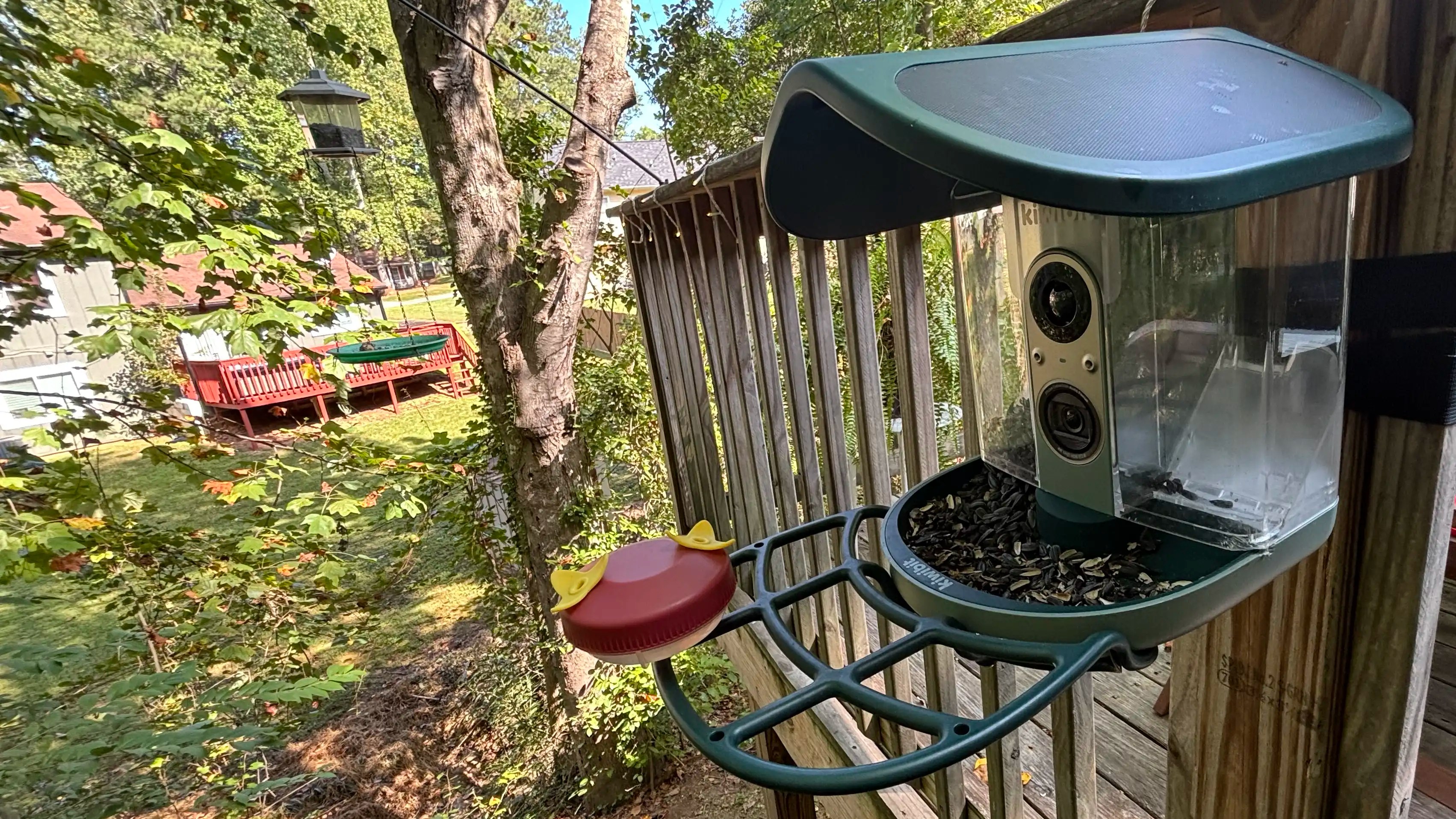
There’s the feeder body, which includes the feeding tray, dual-sided bird seed holder, and the camera and sensor. These all lock together without the need for tools, and the solar panel easily locks into place on top. After that, you simply screw on the perch, and the feeder itself is ready to go.

The more complicated job is figuring out where and how to mount it. Kiwibit includes several mounting options: a wall mount for screwing it directly into a wall, as well as a pole mount (the pole is not included). However, the wall mount also doubles as a tree mount, and it comes with a strap that you can simply weave through the mount and then cinch around a tree.
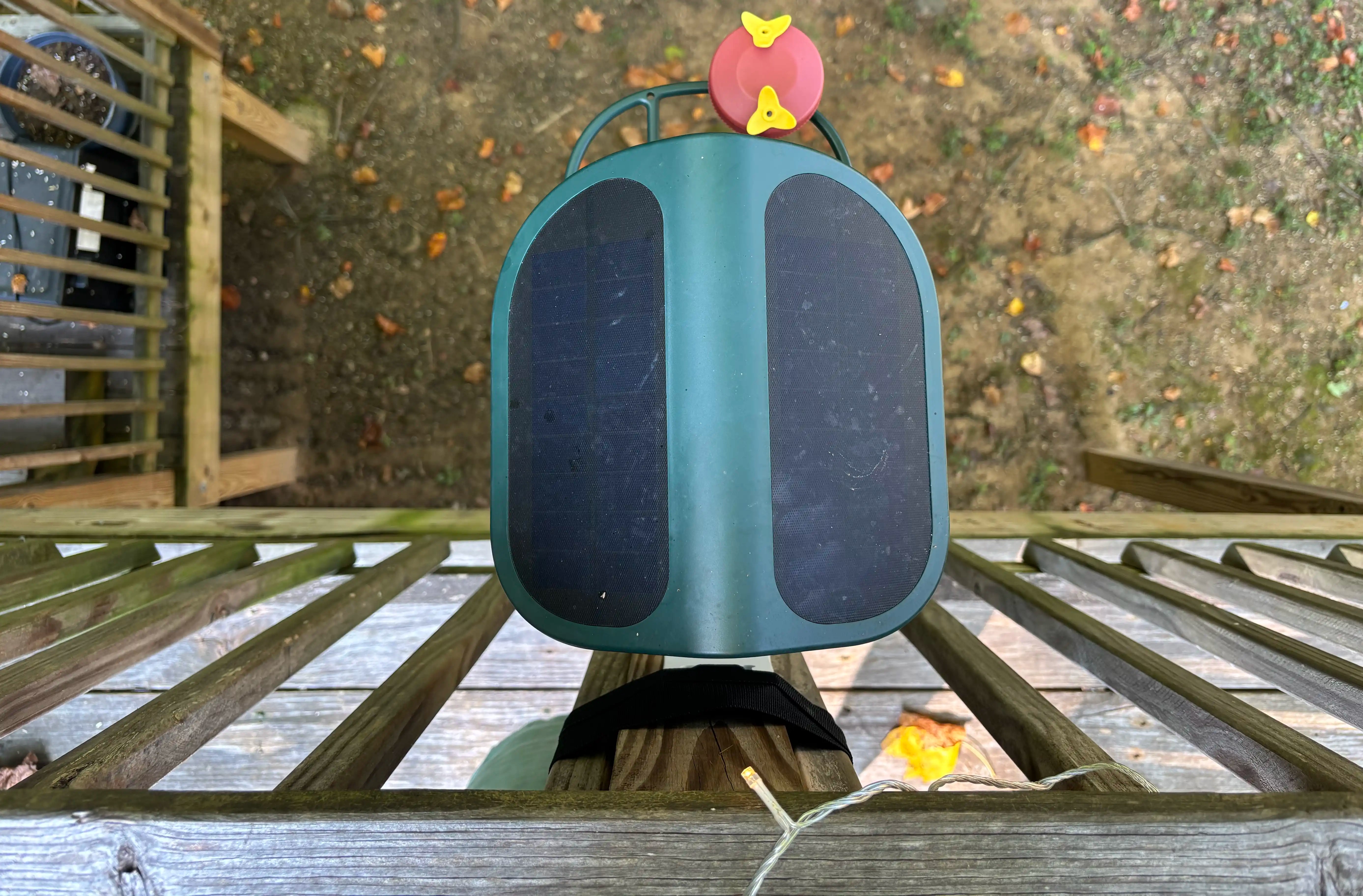
Once set up, there’s little maintenance required other than refilling the seed. The 5W solar panel keeps the removable 5,200mAh battery powered up without maintenance. As long as it gets about an hour of sunlight a day, it should keep running without needing hands-on charging.
Testing & Troubleshooting
Initially, I wasn’t sure where we should set up the Kiwibit. We can’t screw it into a wall, and we’re high enough on the second-story balcony that tying it to a tree doesn’t make sense. After all, you need to be able to refill it easily with birdseed.
At first, I simply tied it to the top of our patio railing. However, after a few days, there were still only two species brave enough to visit the feeder: house finches and tufted titmice. So I cinched the feeder around the wooden slats of our patio balcony.
In our case, that means the feeder itself is hidden from direct view. But the plus side is that it attracts more species than my first experiment — we’ve now “collected” 15 species over the last few weeks of use. That even includes hummingbirds, thanks to an extra attachment to the perch that offers a red-and-yellow dish for sugar water.

If you only have one feeder, of course, you’d probably want your Kiwibit to remain viewable from wherever you like to sit. But in our case, we have several other highly visible bird feeders — so the lack of visibility isn’t a big issue for us. Moreover, the Kiwibit has a live video feed at all times, which I’d say is one of the primary reasons to buy this in the first place.
Long term, I’d also like to experiment with a pole mount. I’m curious whether that might result in greater diversity of bird species. Though we’ve improved the diversity of species that visit the Kiwibit, it still sees far less bird diversity than the hanging feeders just a few feet away.
A Wealth of Information
Most of the really fun stuff about the Kiwibit happens on the app. That’s where you’ll watch the live video feed and scroll through recorded photos and videos of each bird species. Moreover, the amount of data available through the Kiwibit app is staggering. Each species has a “Learn” page that rivals Wikipedia in its depth and organization, while being a bit more readable.
The attention to detail with notifications is also very impressive. I set up the Kiwibit app on my mom’s iPhone, and it sends notifications when birds arrive, a new species is spotted, or a “nuisance animal” appears. (The eternal battle against squirrels never seems to end with bird feeders, and that remains true with the Kiwibit.)
These notifications are customizable, however, so you can dial them back if you don’t want a “ding” or vibration every time another house finch appears. (My mom has no such problem, by the way.)
I think Kiwibit has also developed a smart design for managing the photos and videos. The included 512MB memory card can be replaced with a larger one for more storage. Regardless, the oldest photos and videos are automatically replaced on an ongoing basis once the card is full. (In our case, we get enough birds that it didn’t take long.)

Caveats & Conclusion
Kiwibit’s bird feeders, like so many modern technology brands, are manufactured in China. The brand calls the Kiwibit Bird Feeder 2 Pro “the world’s first 4K HDR autofocus smart bird feeder.”
That might be true, but the autofocus could still use some improvement. I have no doubt that automated focusing on fast-moving birds is difficult. After all, it’s hard enough capturing a sharp photo of a bird using my DSLR and long lens. I spent a good amount of time sorting through the app’s wealth of images to find the handful with sharp focus that you see in this review.
There are also some features initially advertised by Kiwibit that aren’t ready for primetime just yet. I was stoked for the “Name That Bird” feature, in which the AI recognizes individual birds that keep coming back — not just the species. I was looking forward to watching my mom name each individual bird, which I know for a fact would fill her with intense glee. But we’ll have to wait until Kiwibit works out the kinks of that feature, which remains in the experimental stage.
Also, I’d love to see Kiwibit create an AI-powered feeder that can hang from poles. Our hanging feeders still see a larger diversity of birds than the Kiwibit. I was hoping the woodpeckers and male cardinals would come to the Kiwibit, and I could watch them up close on the live feed. But so far, they have remained loyal to the hanging feeders.
As with all things AI, the technology will evolve very quickly, so I can’t imagine how much more advanced it will be in just a few years. It’s already a super-fun addition to our backyard and continues to bring great joy to my family and me. I can’t ask for more than that.